
Admin and Profiles
Can I change my password?
You can simply click on “Forgot password” on the Integral login page and reset it from there.
I've received an invite to my Integral account. How do I get started?
Once you have logged in, on the left hand sidebar, you will see the “Getting Started” checklist. Follow the four step process, to get you set-up for success.
Can I add users to my accounts?
Yes, please head to Settings -> Organization -> Invite Member
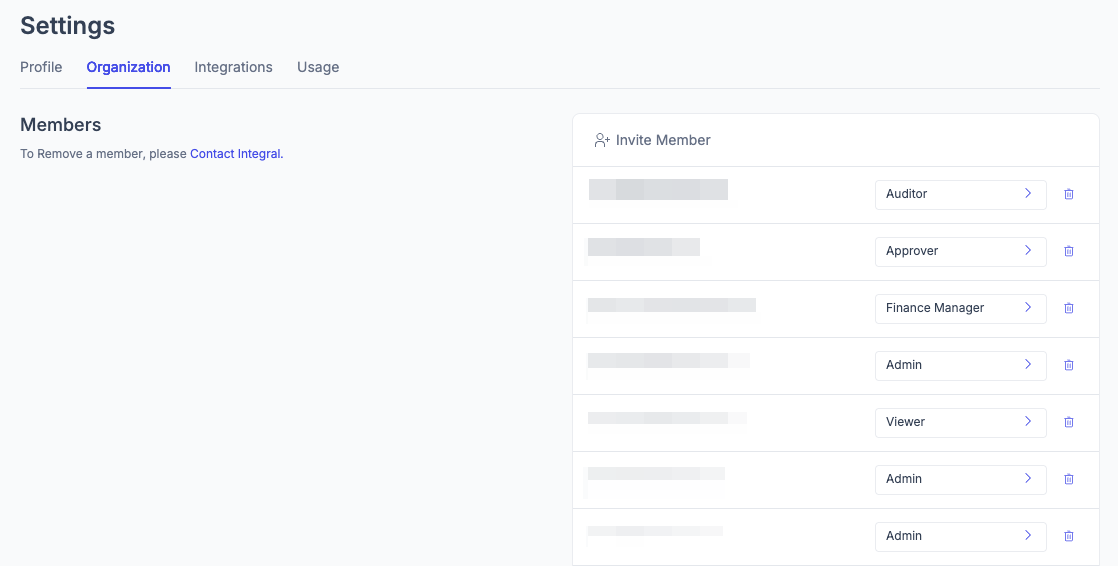
Will I be billed for adding new users to my account?
You will not be billed for adding more users to Integral. The more people who use it, the better!
Can I have a second separate (or more) organization tied to the same Integral account?
Yes, we support multi-org and can add additional organizations for you, just reach out to your Account Manager. You can see and switch between those organizations by clicking on your email in the bottom left corner of the sidebar, or using CTRL+K on your keyboard (CMD+K for Mac users).
Depending on your subscription plan, you may be charged for additional entities. Please review your CSA before reaching out to Integral for any questions.
Can I add a user with read-only users to my Integral account?
Yes, when inviting a new member (or editing an existing one) simply set their permissions to "Viewer".