Circle (CSV)
Adding your Circle transactions to Integral using a CSV is super easy. No need for templates - just download your CSV from Circle, and upload it to Integral.
The option to add a Circle Account via CSV is not available in app, please use this direct URL: https://app.integraltreasury.xyz/accounts/add/circle
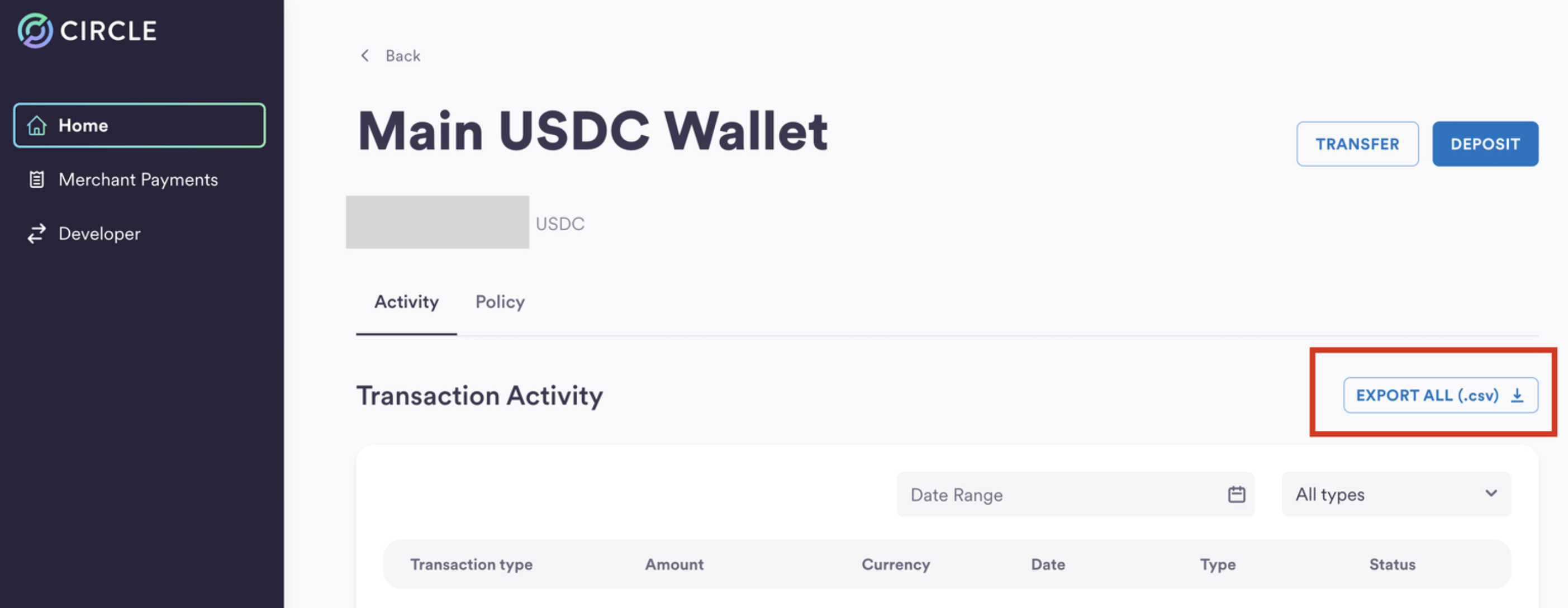
In your Circle account, click into your USDC Circle-managed wallet.
Download the CSV by clicking on "EXPORT ALL (.csv)" in the top-right corner (image below)
In Integral, navigate to + Add Wallet
Find the Circle account with the tag Circle "Provider CSV"
Drag & drop your Circle CSV
Review the Preview. Make sure it's what you expect.
Click "Import"
Review your new Circle transactions in Bookkeeping
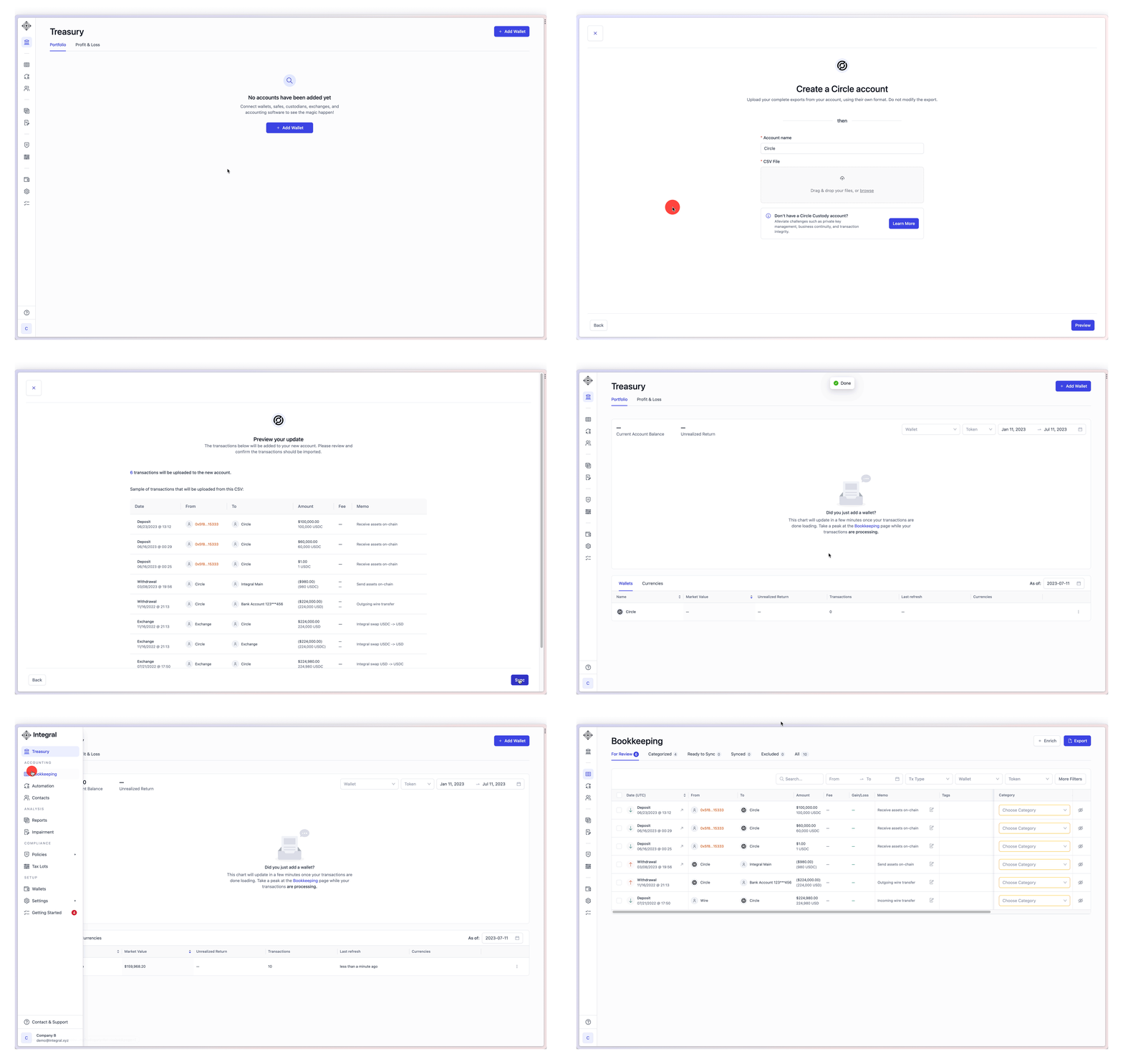
Circle uses USD and USDC interchangeably. This means you can deposit USD and withdraw USDC 1-1. To prevent negative USDC balances on your Circle account, Integral creates artificial "swaps" of USD to USDC, or vice versa, where relevant. You will see those labeled as Exchange, with memo "Integral swap USD -> USDC" and priced 1-1 with no capital gain/loss.
Where to find the transaction CSV export in your Circle account: