
Coinbase Retail
This page provides step-by-step instructions on creating and using a read-only API key for integrating your Coinbase Retail account with Integral.
Connect your Coinbase Retail data to Integral using a read-only API key. Create your API key in Coinbase here. Make sure all accounts are selected with only read permissions. Add your new Coinbase API keys to Integral here.
Step 1: Create a read-only API key in Coinbase
Log into your Coinbase account
In the top-right corner, navigate to Profile > Settings > API (link to page)
Click on
Create API Key
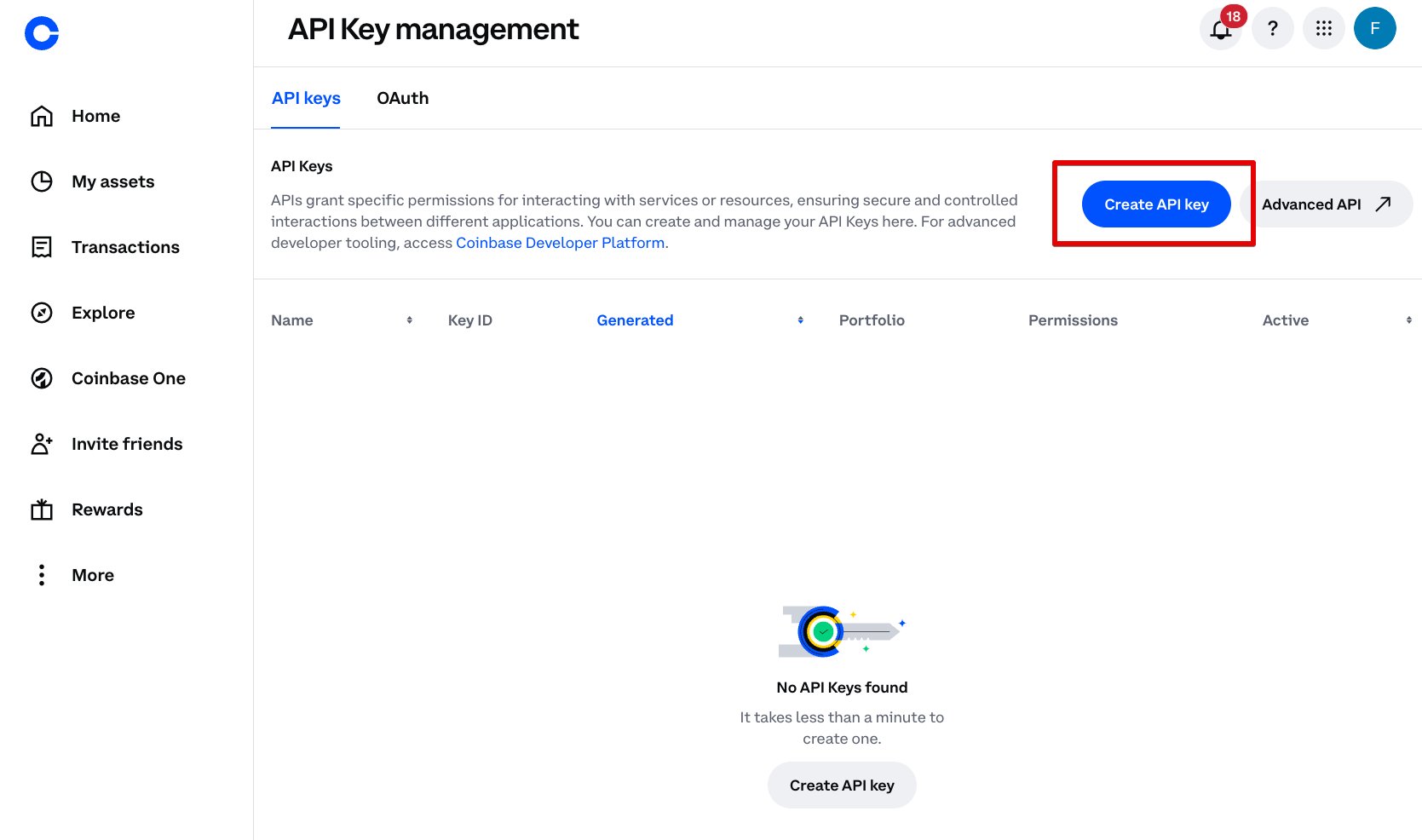
Do not use Advanced API. This is for the Coinbase Developer platform and for executing trades and stop-limit orders.
Step 2: Configure your API key permissions to read-only from all accounts
In the modal that appears, select the portfolio you want the API key to read
Select
View (read-only)Do not input any IPs to whitelist
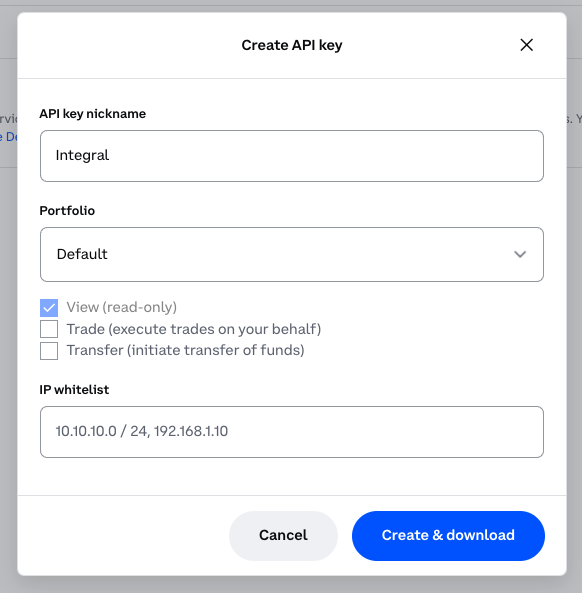
After you click
Create & download, your API Key and Private Key will appear. Save the downloaded file in a safe place!
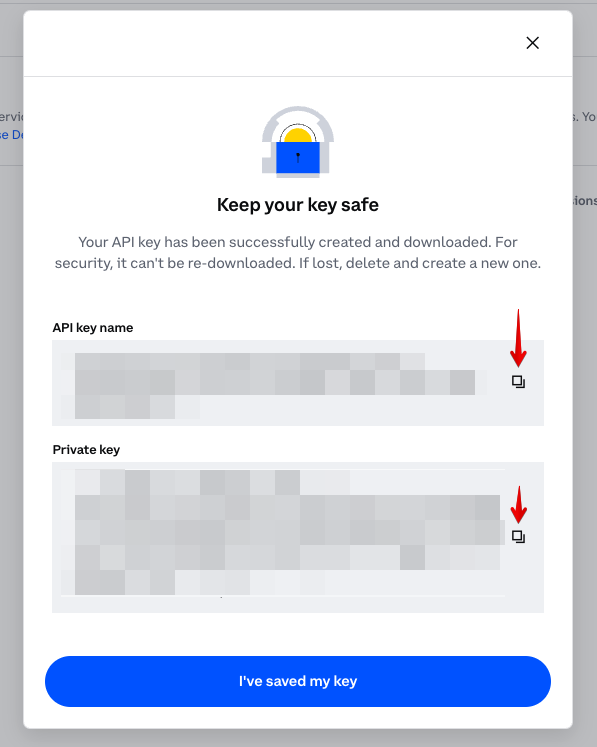
Step 3: Add your Coinbase account to Integral
Log into Integral
In the side panel, navigate to Wallets >
+Wallet/AccountSearch for Coinbase, and make sure you select the option that says “Coinbase” only (link)
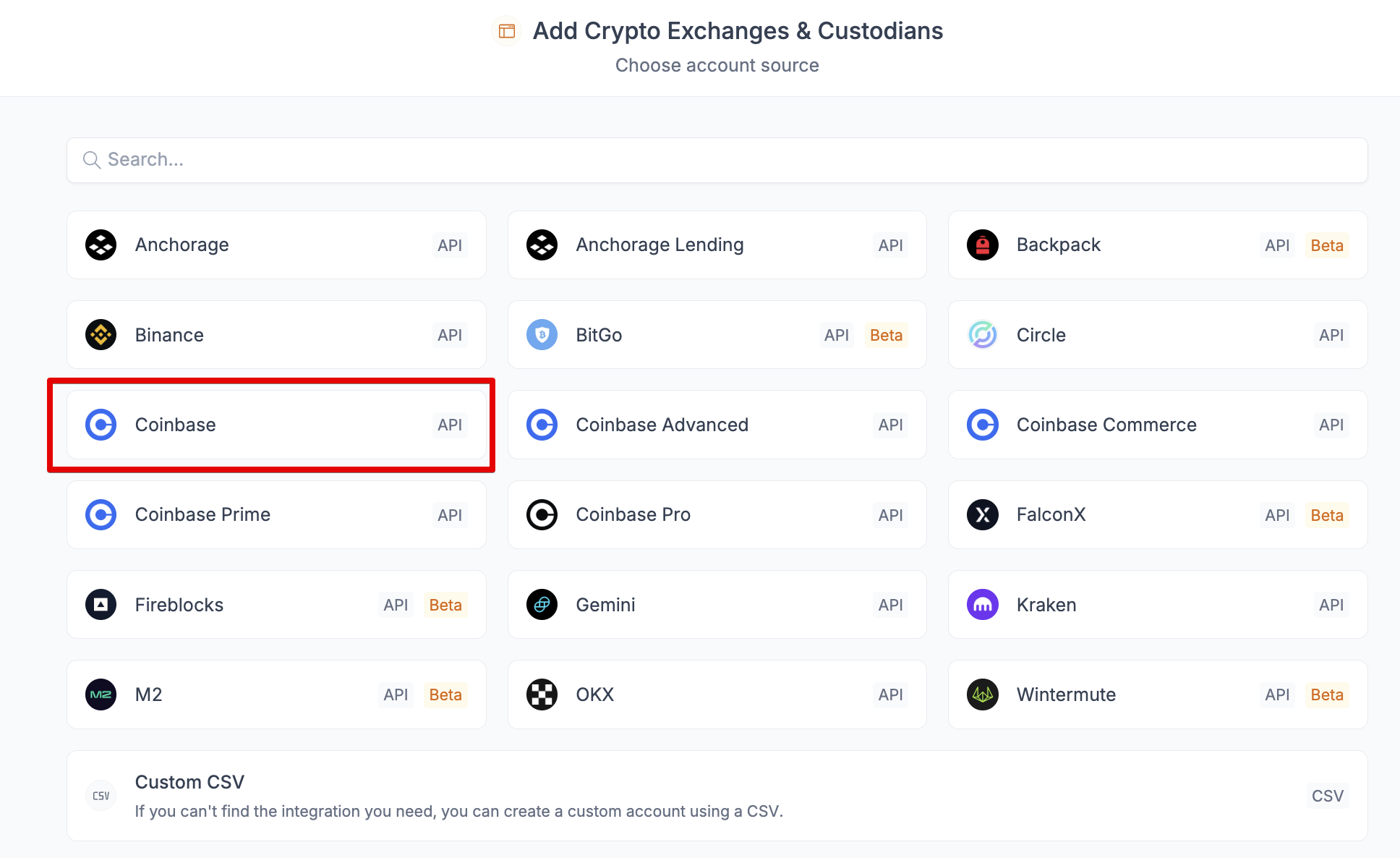
Paste in your API Key and API Private Key. Make sure to include everything within the quotation marks, or copy and paste using the Copy button in the screenshot in the previous step.
Click
SyncIt may take a few minutes for all your transactions to load into Integral. You can see transactions trickle in from the Bookkeeping page.
Transactions are done loading when your Unrealized Gain/Loss and Transaction Count appear in the Treasury page.
FAQ
I can’t see my API Secret when creating a new API Key
Clear your full cache and cookies in your browser. Exit your browser completely. Restart and try the process again. This should remedy it.
I added my key already, but now it says it's invalid
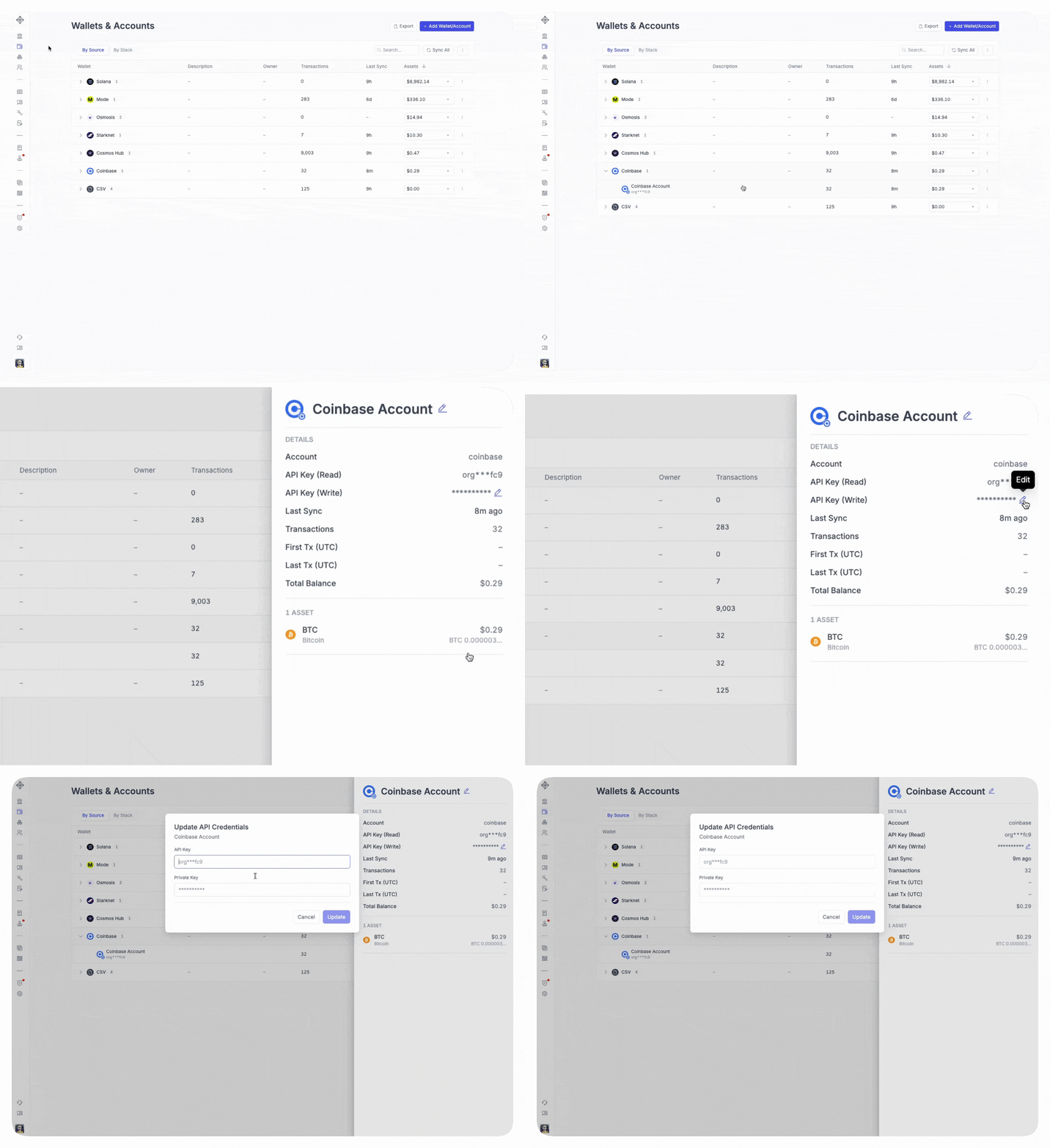
Coinbase has discontinued their Legacy API Keys, and in response Integral has added a feature for you to update your connection with your new API key. Follow the same steps above to generate a key, and edit as shown below:
I added my API keys into Integral, but nothing is showing up
There are a few reasons this might happen:
1) Your account may be taking longer than expected to process. Typically you should see some transactions after a couple minutes.
2) If after a few minutes no transactions appear, make sure you are using the right integration. From the Wallets page, make sure Coinbase was selected (not Coinbase Prime / Pro / Custody / or Commerce). Also make sure you are using the right Coinbase platform, it should be the one accessed from the url: https://www.coinbase.com/
3) If you are logging in through a different URL, refer back to Coinbase Ecosystem.
If you are still experiencing issues, contact Integral at help@integral.xyz or reach out to your rep.