[New] Bookkeeping V2
Integral is excited to share a new Bookkeeping experience with greater flexibility for our end users.
Tip 1: Manually (un)group transactions
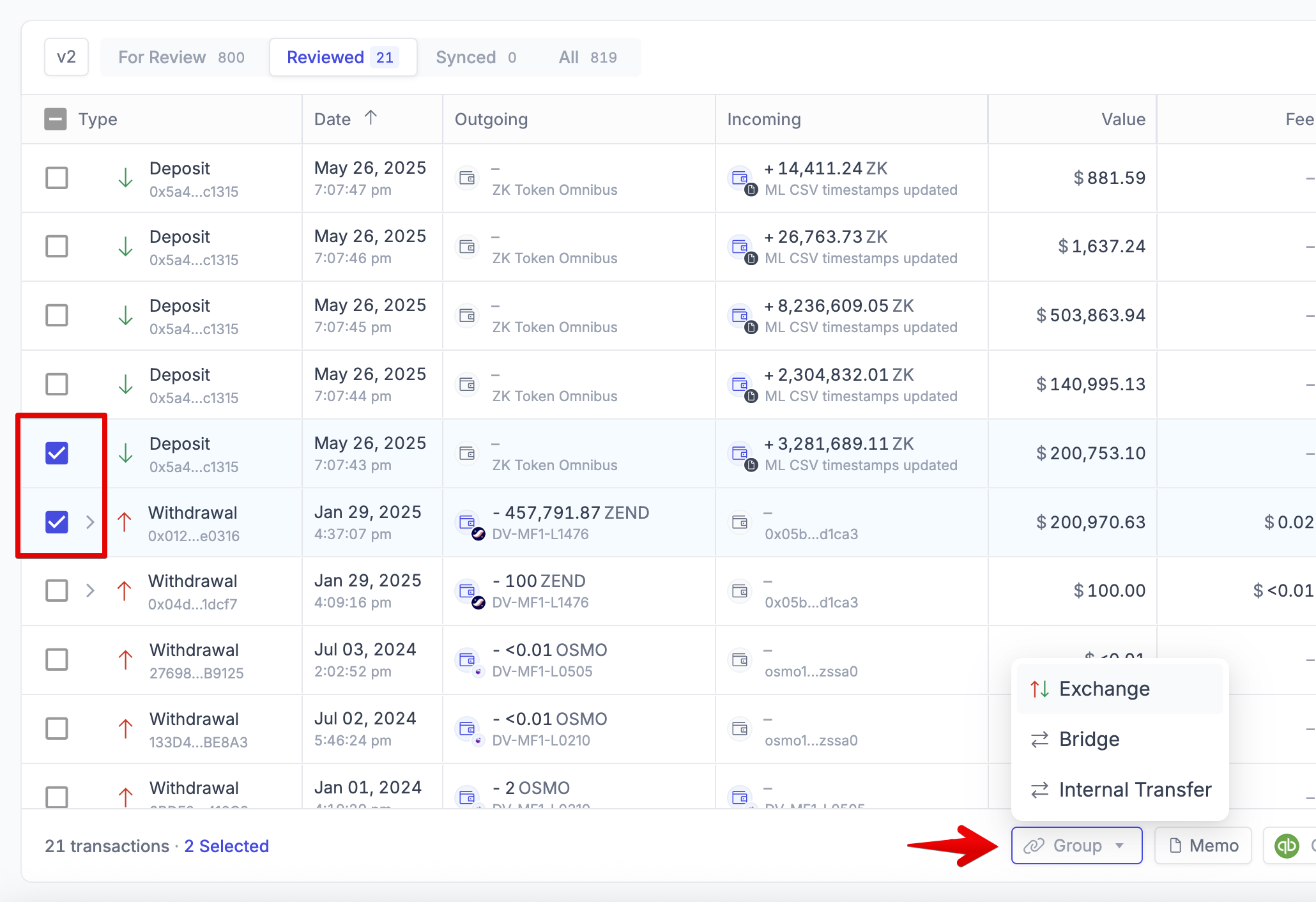
On the left, select the transactions you want to group
In the bulk actions bar at the bottom, select Group > Exchange / Bridge / Internal Transfer
Notice the link icon shows up, and transactions are now grouped together
Taxes may update afterwards
Tip 2: User your keyboard to filter!
Dfor the date filterFfor the filters options1,2,3,4to switch between Bookkeeping Tabs
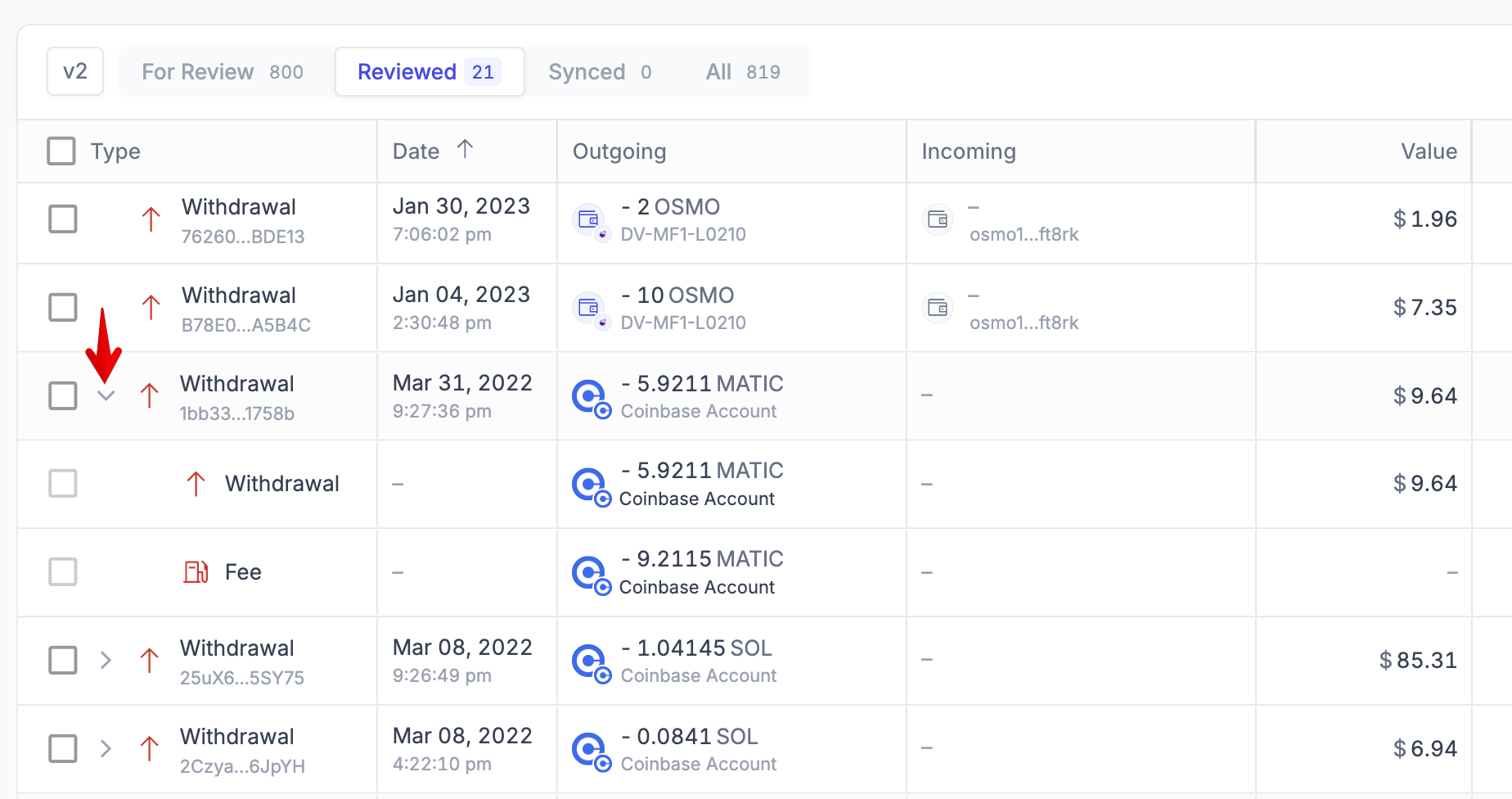
Tip 3: Expand grouped rows to see the sub-transactions involved
Filter to Internal Transfer, Exchange, Bridge, (Un)Stake transactions
Look for the chevron arrow on the left side of the transaction
Click on the chevron to expand the row
Tip 4: Filter to specific issues to resolve
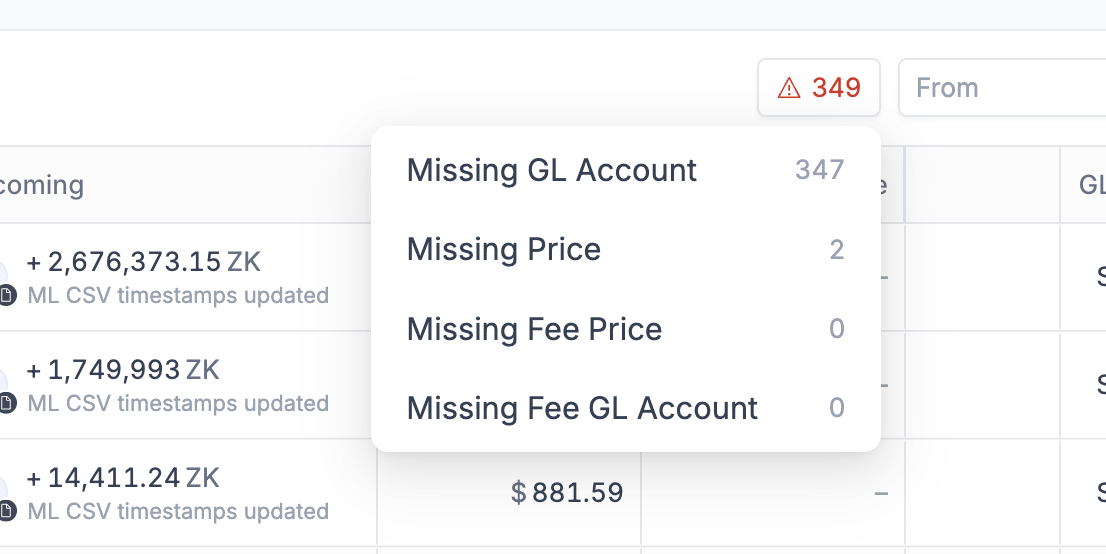
In the top-right corner, look for the ⚠️ icon to filter on specific transactions that need your attention