
Coinbase Pro / Exchange
The instructions below are valid for both Coinbase Pro and Coinbase Exchange.
Connect your Coinbase Pro / Exchange data to Integral using a read-only API key. Create your API key in Coinbase here. Make sure all accounts are selected with only read permissions. Add your new Coinbase Pro API keys to Integral here.
Step 1: Create a read-only API key in Coinbase
Log into your Coinbase Pro / Exchange account
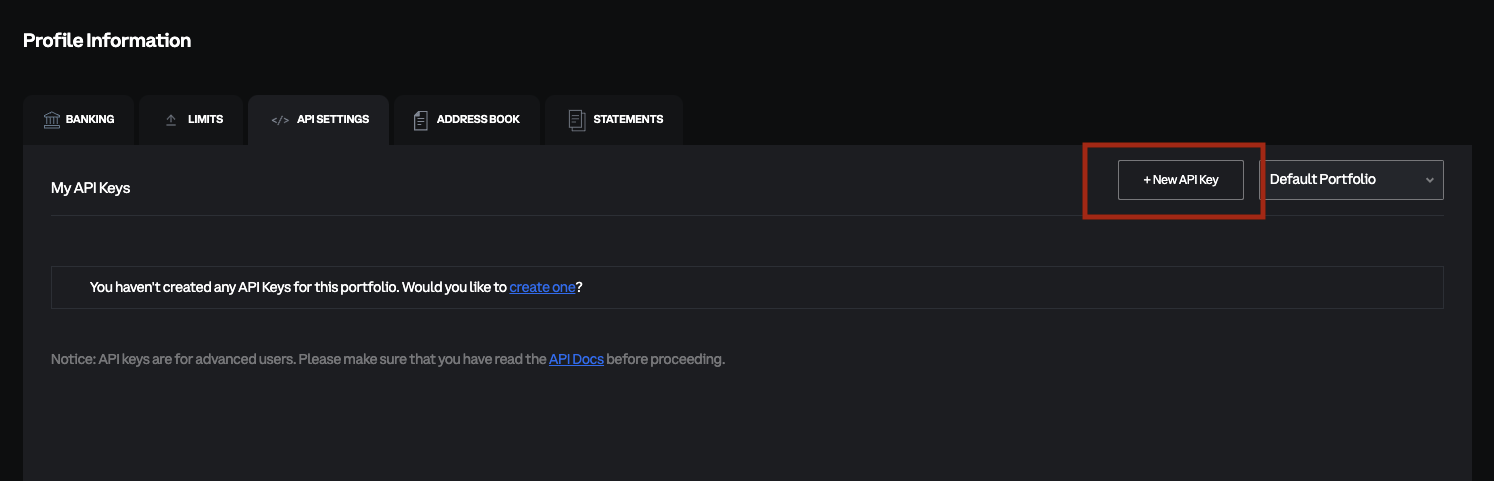
In the top-right corner, navigate to Profile > API
Click on
+New API KeyYou will need to do this process for each Portfolio in your Coinbase Pro/Exchange account.
Step 2: Configure your API key permissions to read-only from all accounts
In the modal that appears, select the Portfolio you want to add to Integral.
Give it a nickname you can easily identify under API key nickname.
Select “View” under permissions. This makes the API read-only.
⚠️ Save the Passphrase somewhere safe - you will not be able to get it back again!
Once your Passphrase is saved, click
CreateA second modal will appear with your API Secret. ⚠️ Save the Secret somewhere safe, as you will not be able to get it back again!
Once your API Secret is saved, click
Done.Back on the API main page, you will see your new API key details. The API key is provided there, in the red box shown in the screenshot below.
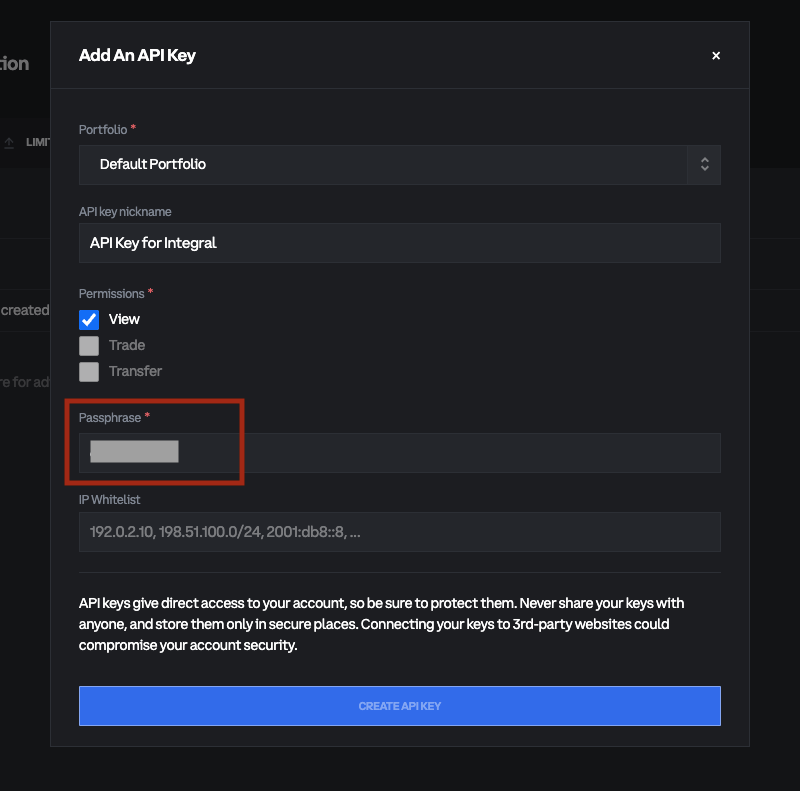
The red box shows where your API Passphrase is.
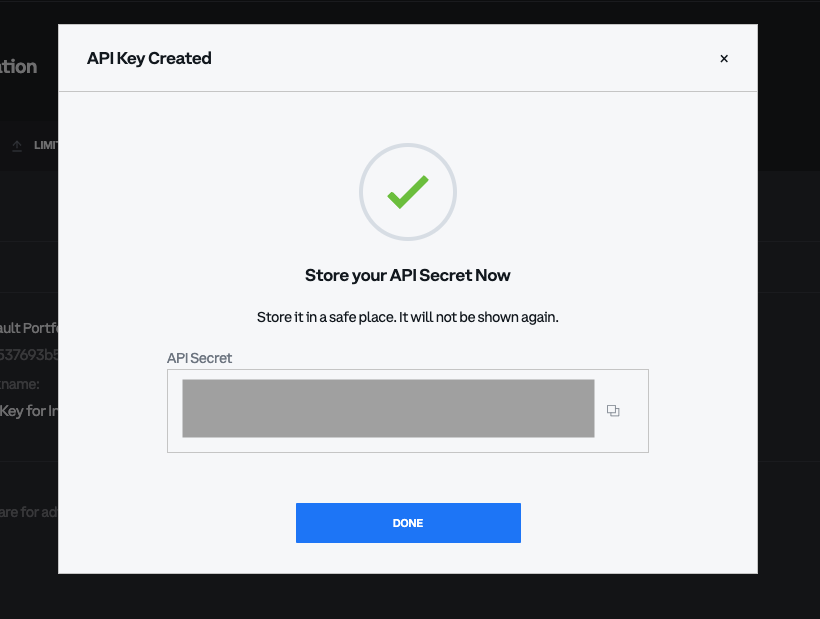
The API Secret is shown in the box indicated.
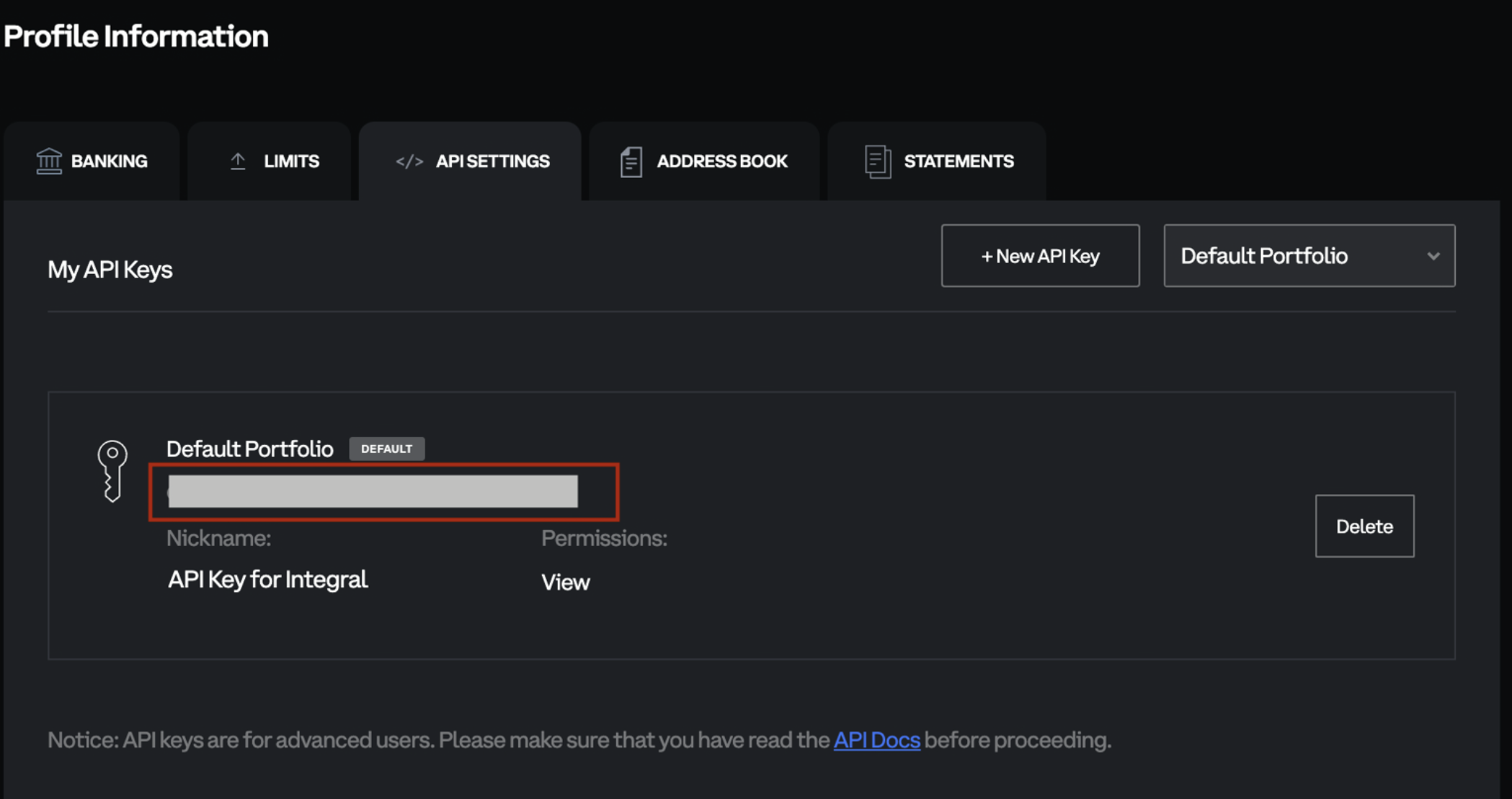
The red box shows where your API key is provided.
Step 3: Add your Coinbase Pro/Exchange account to Integral
Log into Integral
In the side panel, navigate to Wallets >
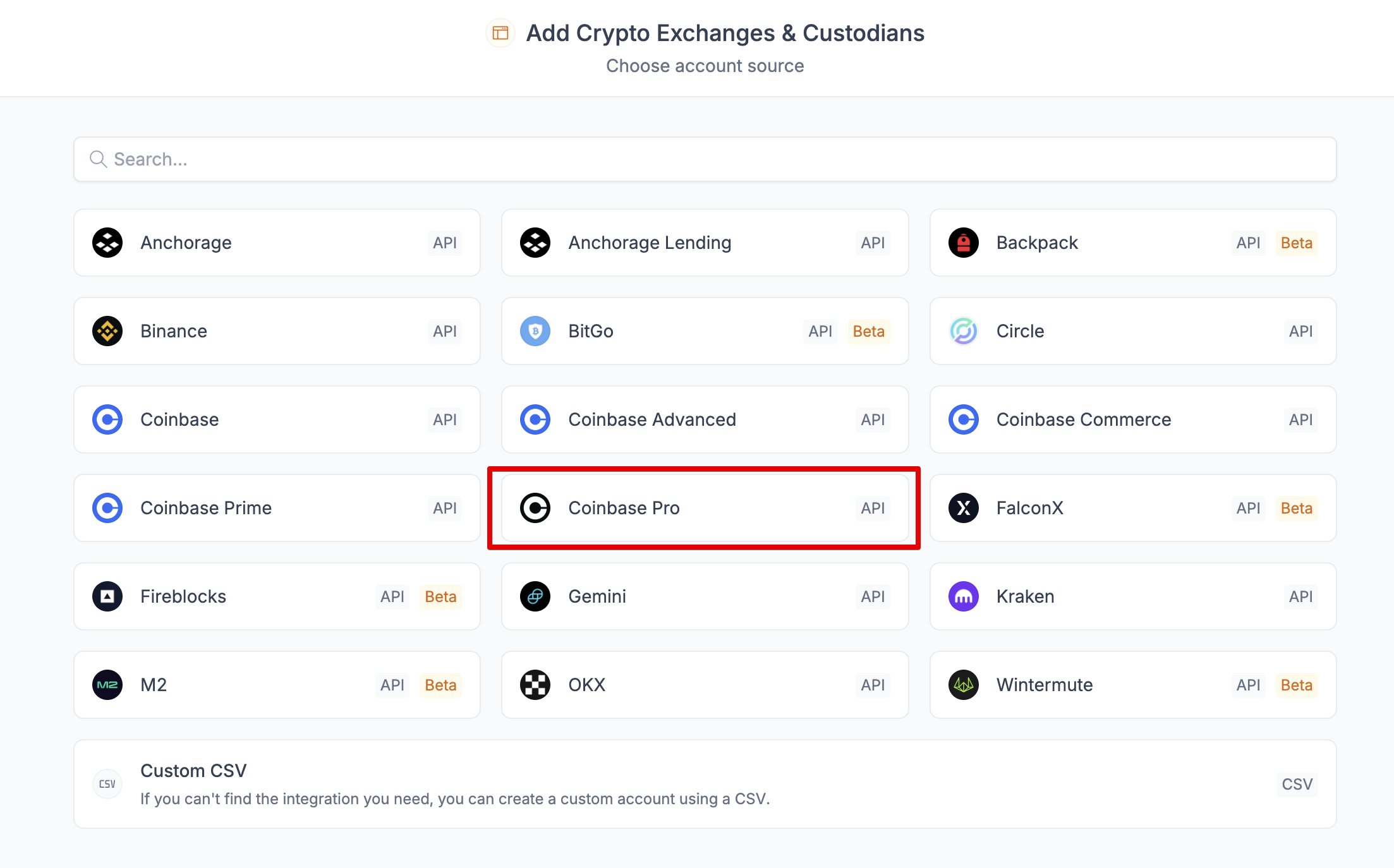
+WalletSearch for Coinbase Pro (link)
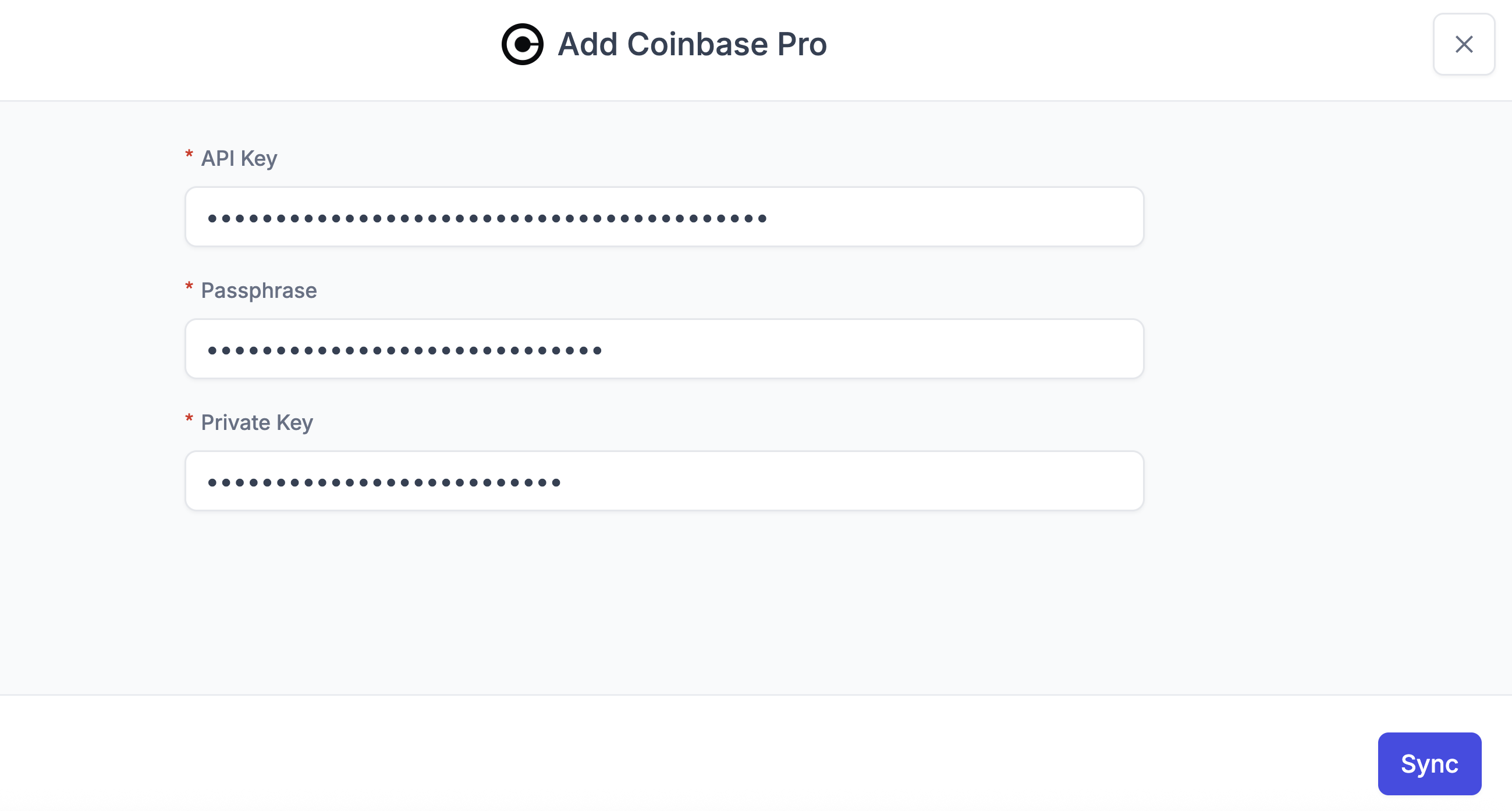
Paste in your API Key into “API Key”, your API Passphrase into “Passphrase”, and your API Secret into “Private Key”.
Click “Sync”
It may take a few minutes for all your transactions to load into Integral. You can see transactions trickle in from the Bookkeeping page.
Transactions are done loading when your Unrealized Gain/Loss and Transaction Count appear in the Treasury page.
Step 4: Repeat for all Portfolios
If you have more than one portfolio in Coinbase Pro/Exchange, you will need to repeat this process for each portfolio.