
ERP and Chart of Accounts
Use this page to help with questions related to syncing journal entries and your chart of accounts.
Chart of Accounts
Can I map my Chart of Accounts by token rather then by Wallet/Accounts?
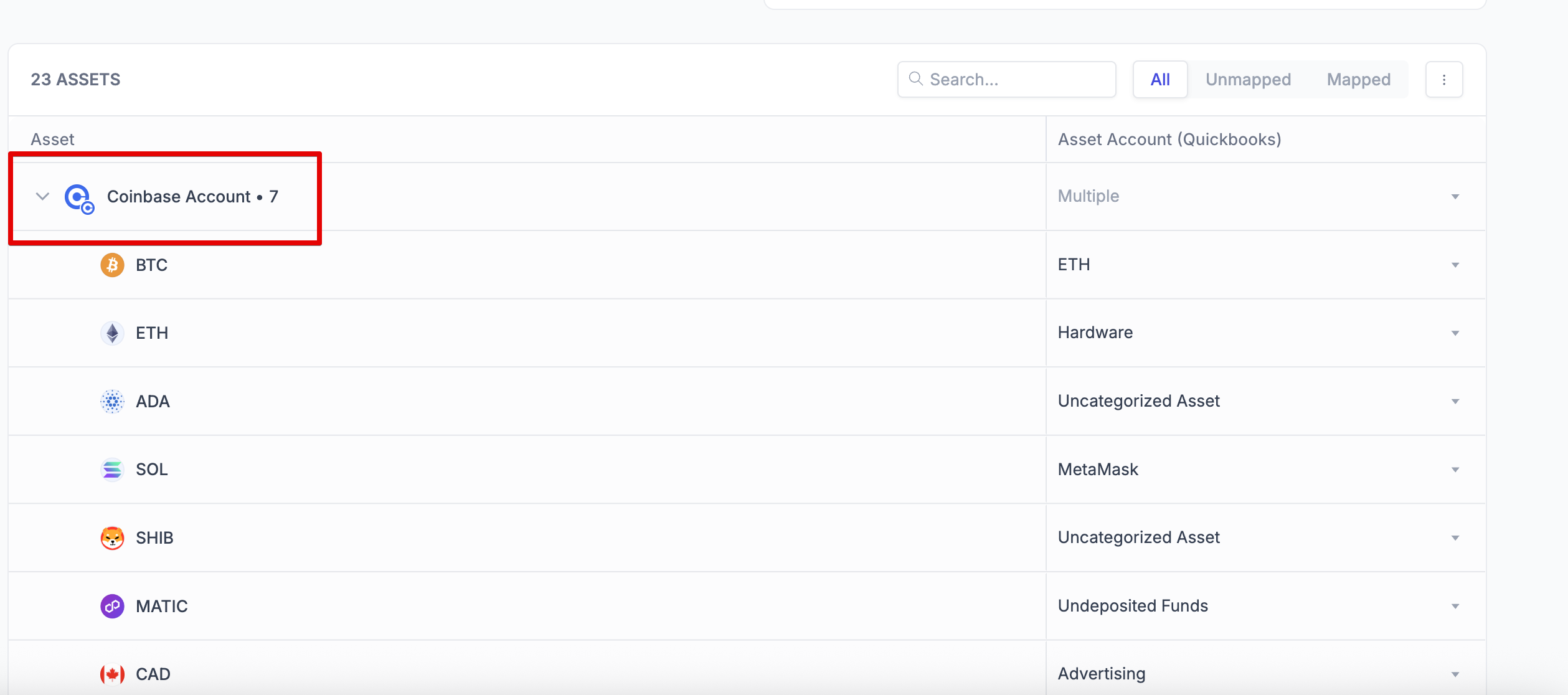
Yes! Just expand the wallet (+) in your chart of account mapping and select the dropdown mapping for each currency within the wallet.
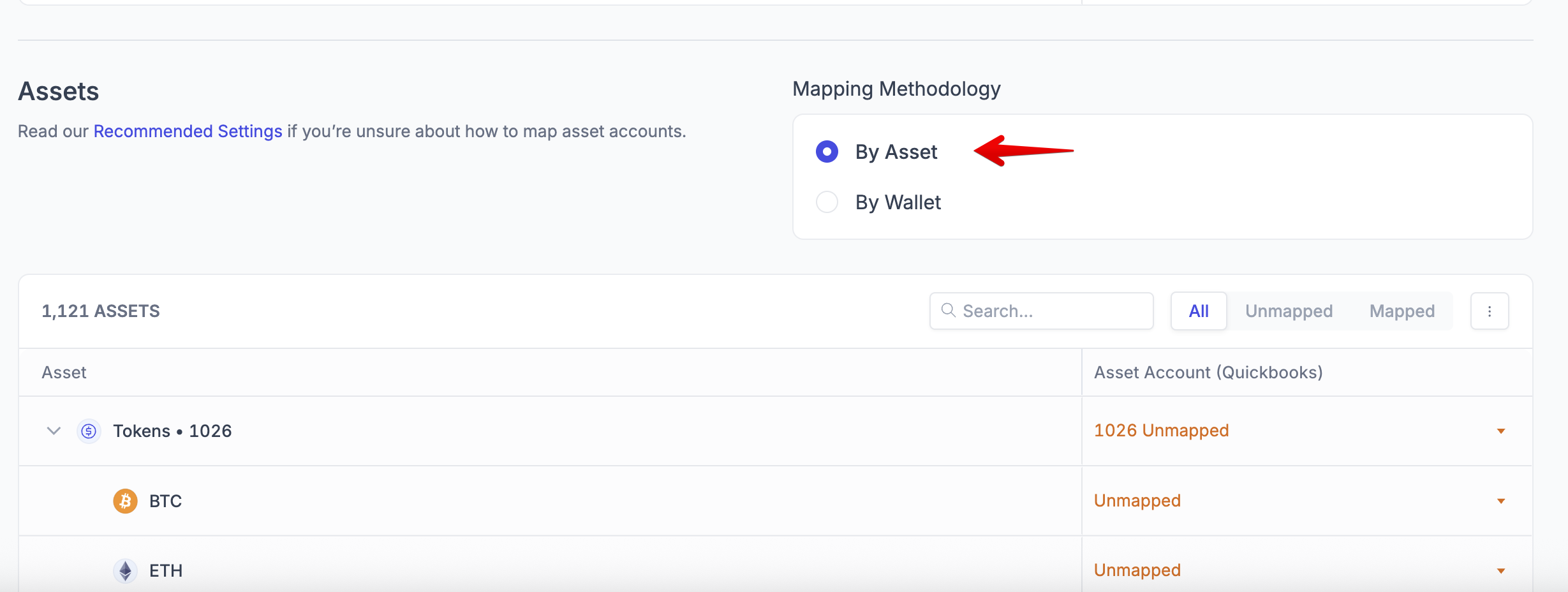
Alternatively, if you don't want to delineate between different wallets, you can map all tokens (regardless of their origin wallet) to an asset account by selecting "By Asset":
I don't use an ERP, can I import a custom Chart of Accounts?
Yes, please reach out to your point of contact at Integral and they will be able to assist with your request, or email help@integral.xyz.
I made a change to my Chart of Accounts, how do I update it in Integral?
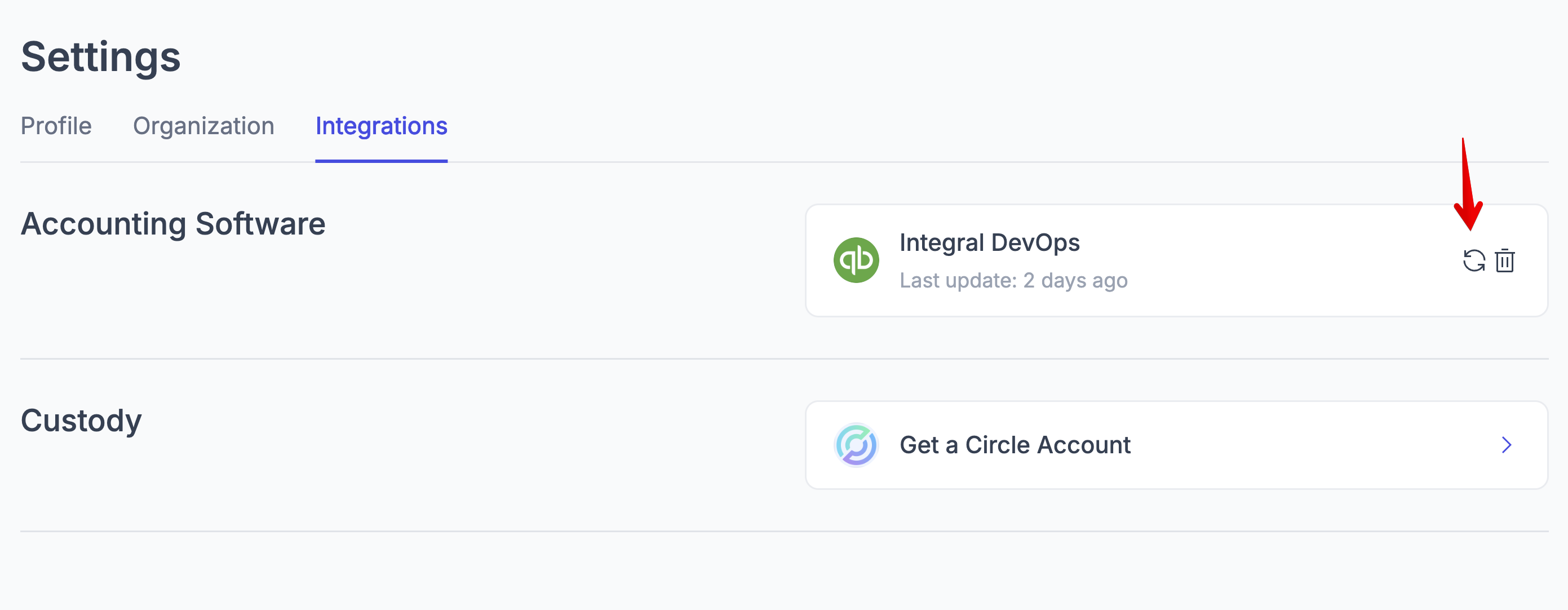
To refresh your Chart of Accounts data in Integral, navigate to the Integrations page and click the "refresh" button on the right of your ERP connection.
Syncing Journal Entries to QuickBooks/Xero
My journal entry sync failed. Why?
There are several reasons why a Journal Entry sync may fail. For more detailed, please head to Journal Entry Sync Errors.
Why Journal Entry Syncing Might Fail:
Disabled accounts - the asset accounts or General ledger accounts have been disabled
Incomplete Transactions - Only part of a transfer or exchange was synced, leaving a grouped transaction partially synced.
Unmapped Accounts - the wallets or tokens are now mapped to an asset account under Policies -> Chart of Accouts
Expired Connections - the ERP credentials for connected services need to be refreshed
Missing Required Info - Transactions are missing important details like customer/vendor information. This applies specifically to AR/AP GL accounts
Archived Accounts - Trying to use chart of accounts that have been deactivated
Third-Party Service Issues - QuickBooks, Xero, or other accounting platforms are temporarily down or having problems
In any case of the above errors, Integral will display an error modal that describes why the Journal Entry could not be synced and how to fix it.
I have large transaction volumes. Can I rollup my journal entries?
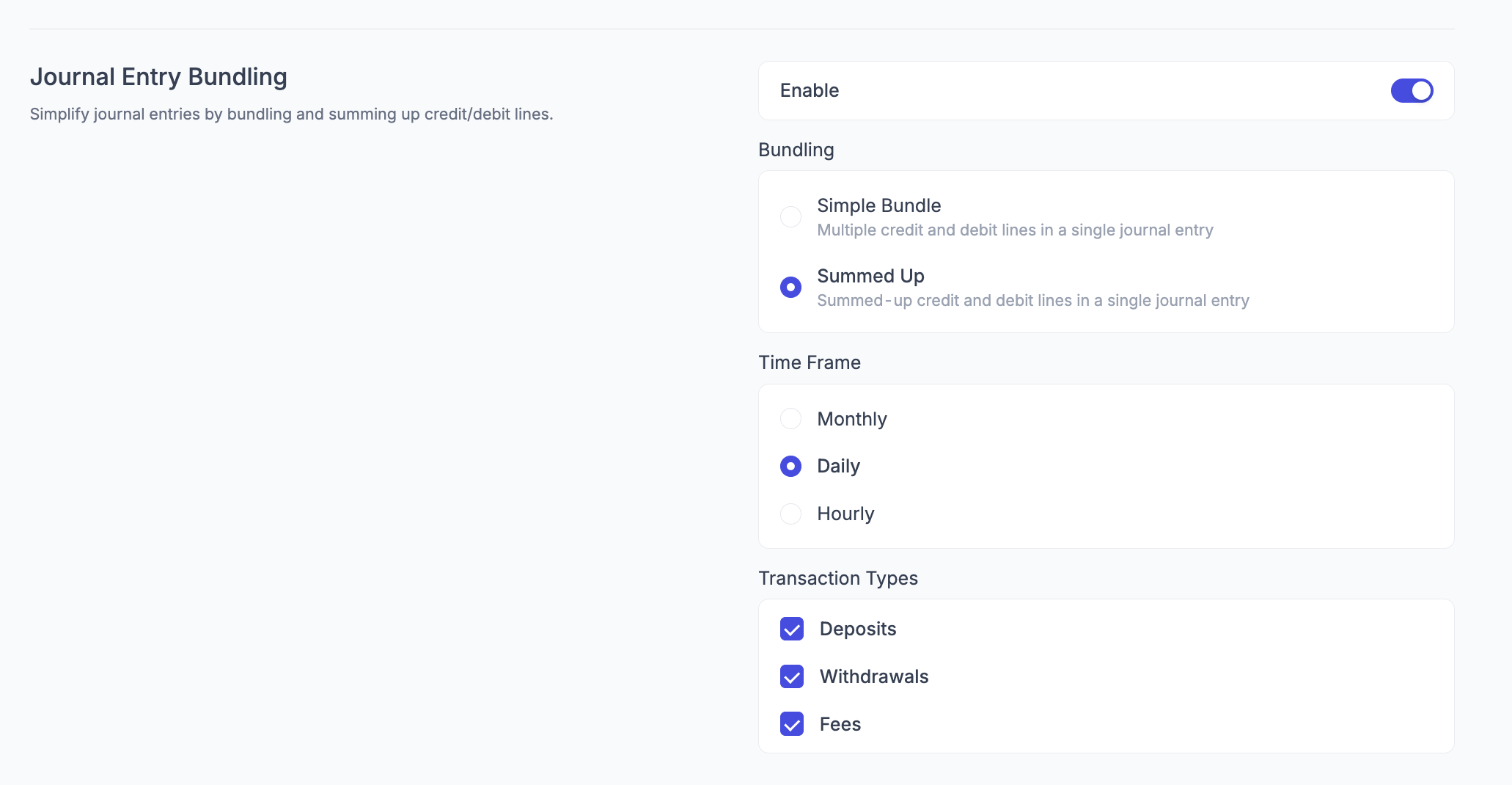
Yes! Navigate to Accounting Policies, enable "Journal Entry Bundling". Once enabled, select sum-up journal entries, the frequency of sum-ups, and the types of transactions to sum up.
How do I see what was synced to QBO/Xero?
All transactions synced to your ERP will show up in the “Synced” tab in the Bookkeeping page. A custom report is coming soon.
Can I change the GL Account for transactions I've already synced?
You cannot edit journal entries within Integral and have them reflected in QBO/Xero automatically. However, you can manually overwrite this. Navigate to Bookkeeping -> Synced tab. Bulk select the transactions you want to overwrite, and click "Move To -> Categorized/Ready to Sync":
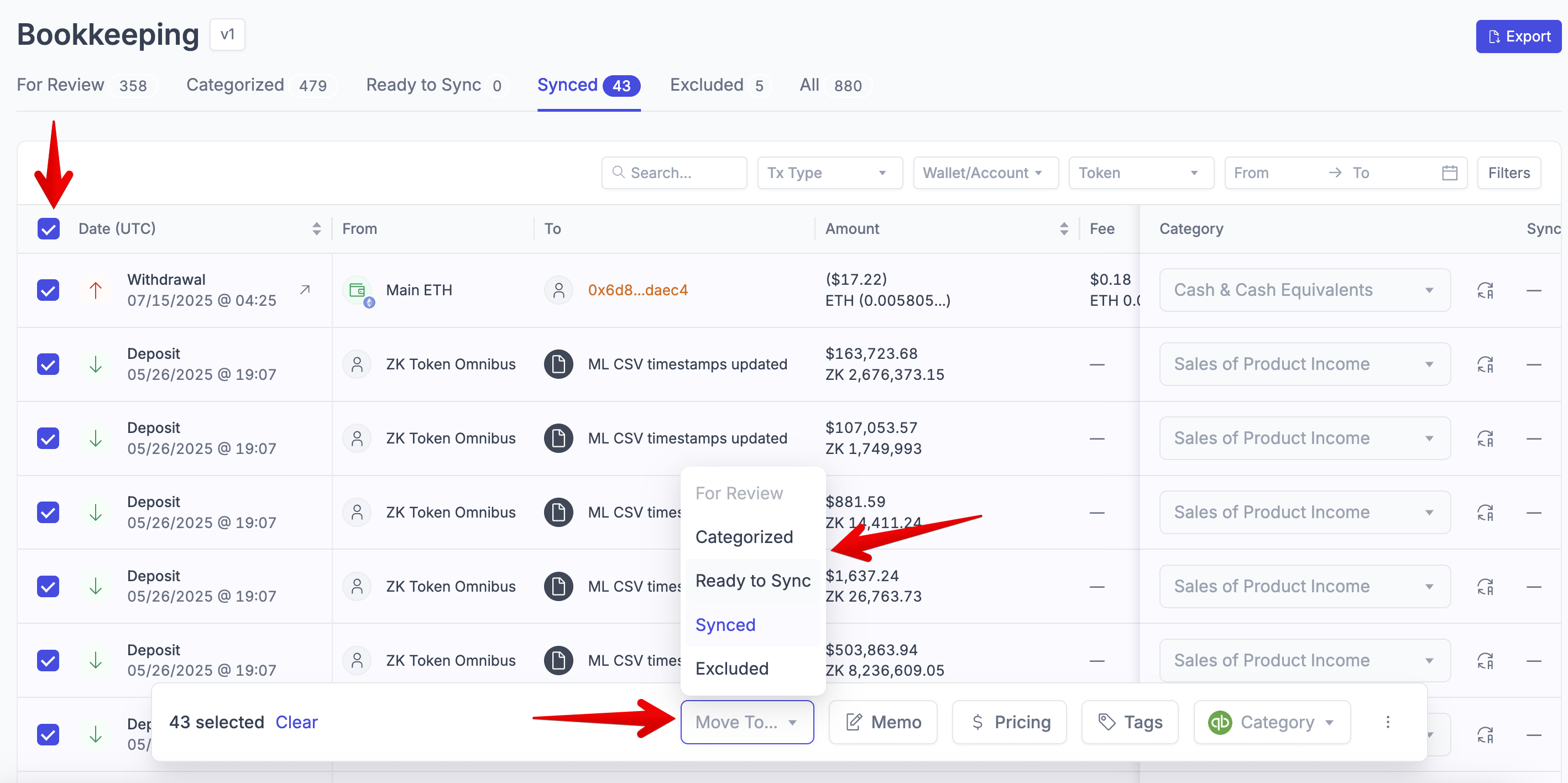
This will place the transactions back into the Categorized or Ready to Sync tab. Here you can change the categories and resync the transactions. Note: If you resync the transactions without first deleting them from QBO/Xero, they will be duplicated. It is up to you to delete the previous journal entries in your ERP.