
OKX
This guide shows you how to create an API key in OKX and add your OKX account to Integral for seamless integration.
Step 1: Generate an API key in your OKX account
Login to your OKX account and click on the user icon in the menu bar
Select API from the dropdown menu
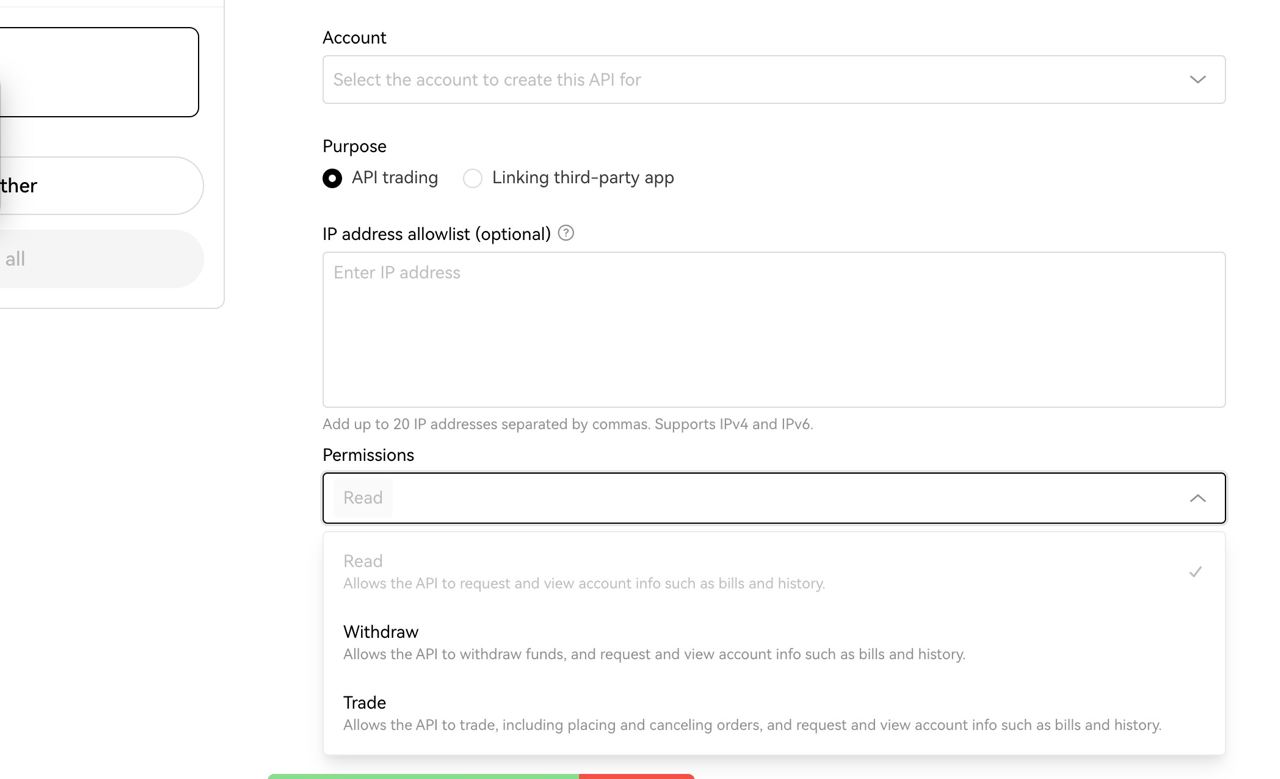
Choose the account you want to create API keys for
Click Create API Keys
Select API trading as the Purpose, name the API and enter a Passphrase.
Set the Permissions of the API key to "Read: Allows the API to request and view account info such as bills and history."
Complete the two-factor authentication in order to enable the API key
Once complete, a screen will popup with your API key and Secret key. Save this in a secure place.
Step 2: Add your OKX account to Integral
Login to your Integral account and click on Wallets ->
+Add Wallets/AccountsSelect Crypto Exchanges & Custodians -> OKX
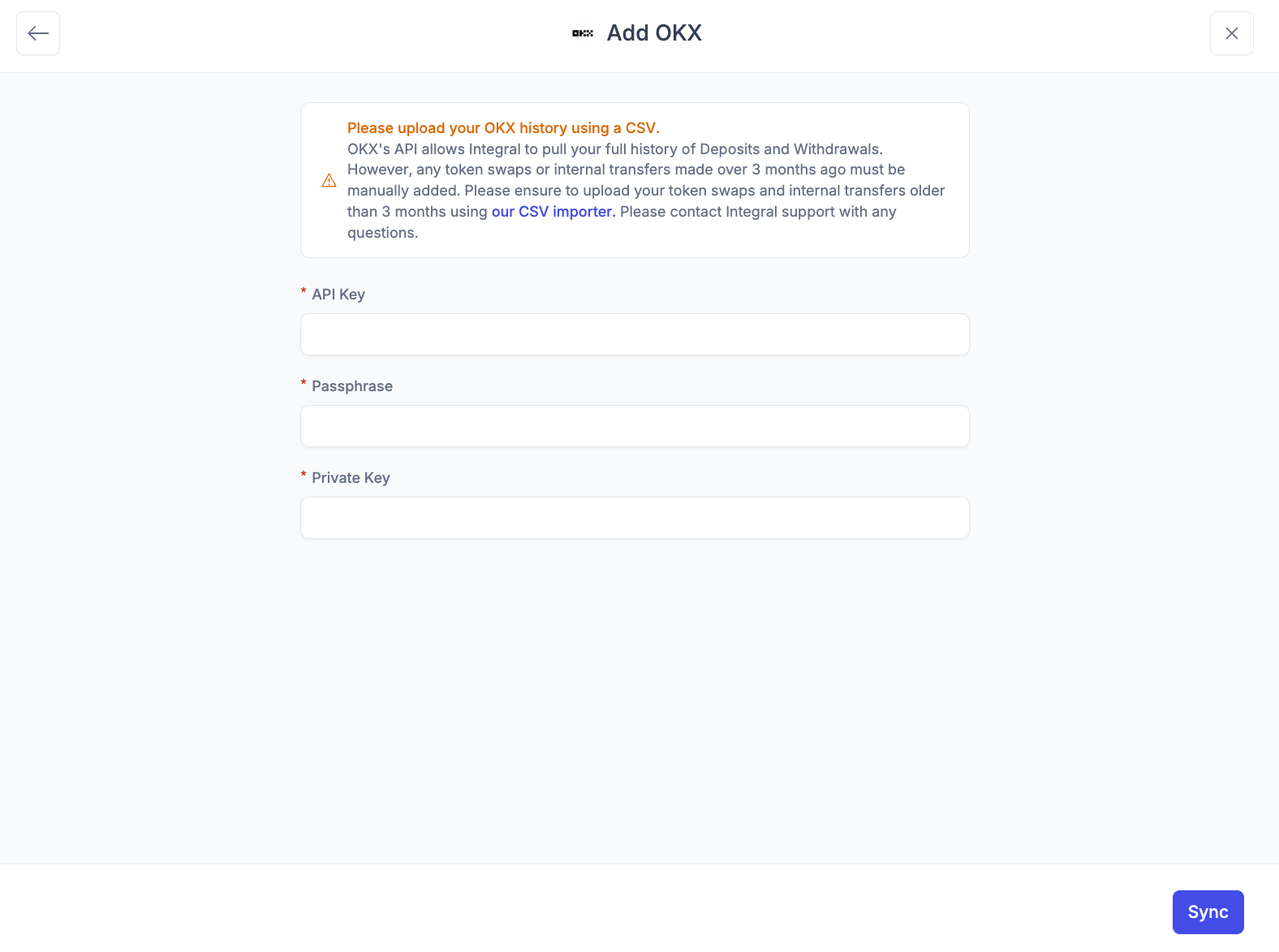
Paste in your API Key, Passphrase and Private Key
Click
Sync
Connect your OKX account to Integral
It may take a few minutes for all your transactions to load into Integral. You can see transactions trickle in from the Bookkeeping page. Transactions are done loading when your Unrealized Gain/Loss and Transaction Count appear in the Treasury page.