
Tax Lots
What are Tax Lots?
Tax lots track individual crypto asset purchases for tax reporting, recording the amount, price, and timestamp. Integral automatically creates these lots from deposit transactions and uses your accounts Cost Basis Method to calculate Capital Gains and Losses.
Tax Lot Page Features
Lot Overview: Shows remaining balance within a progress bar.
Transaction Details: Displays origin account, amount, price, and date.
Drawdown History: Lists all sales that used portions of this lot.
Filtering and Sorting: Filter by asset, status (all, used or unused)
How to view your Tax Lots
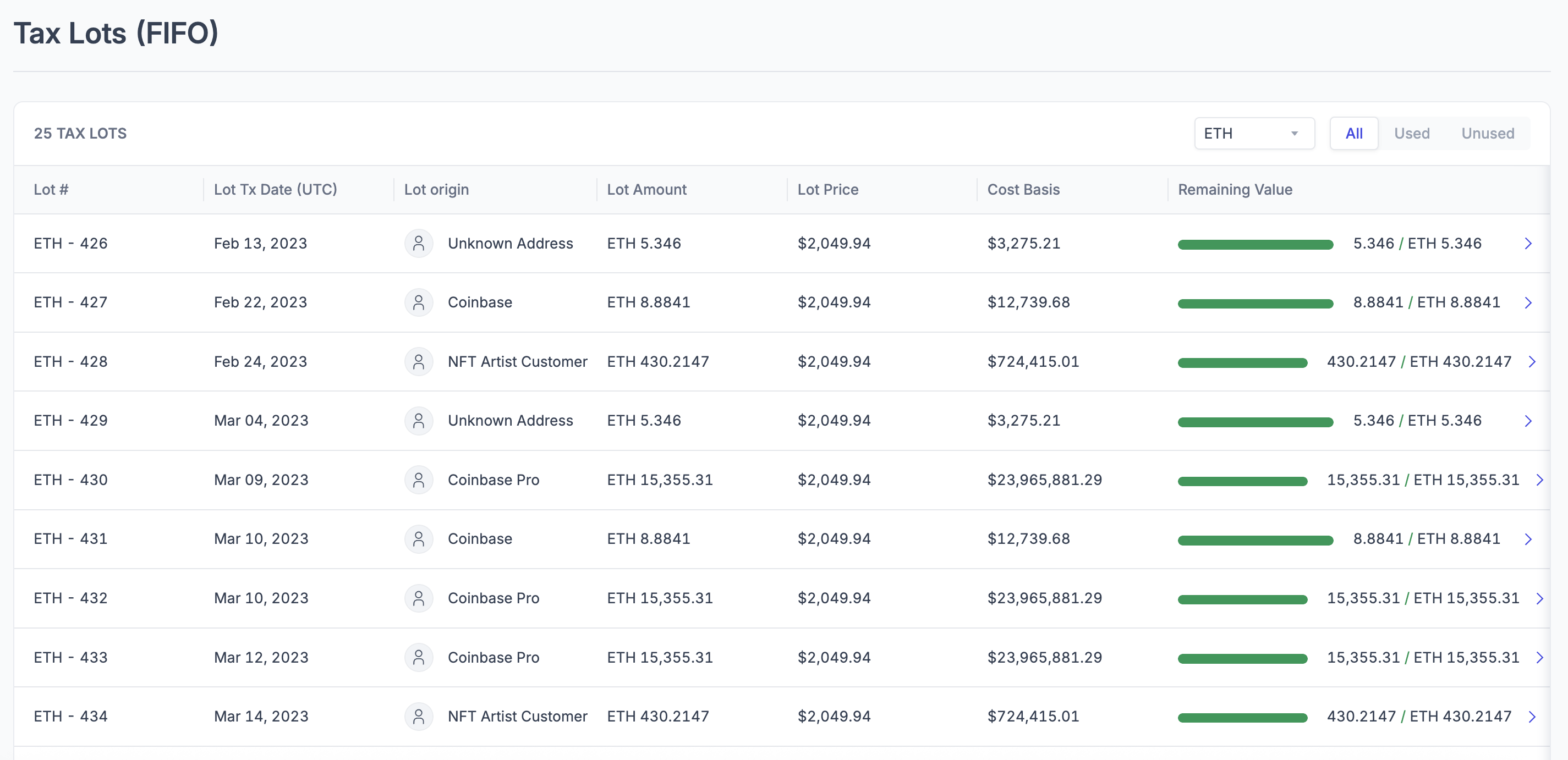
Each tax lot displays its ID, type, deposit timestamp, wallet name, volume acquired, volume sold, volume remaining, acquired price, and cost basis.
Login to your Integral account
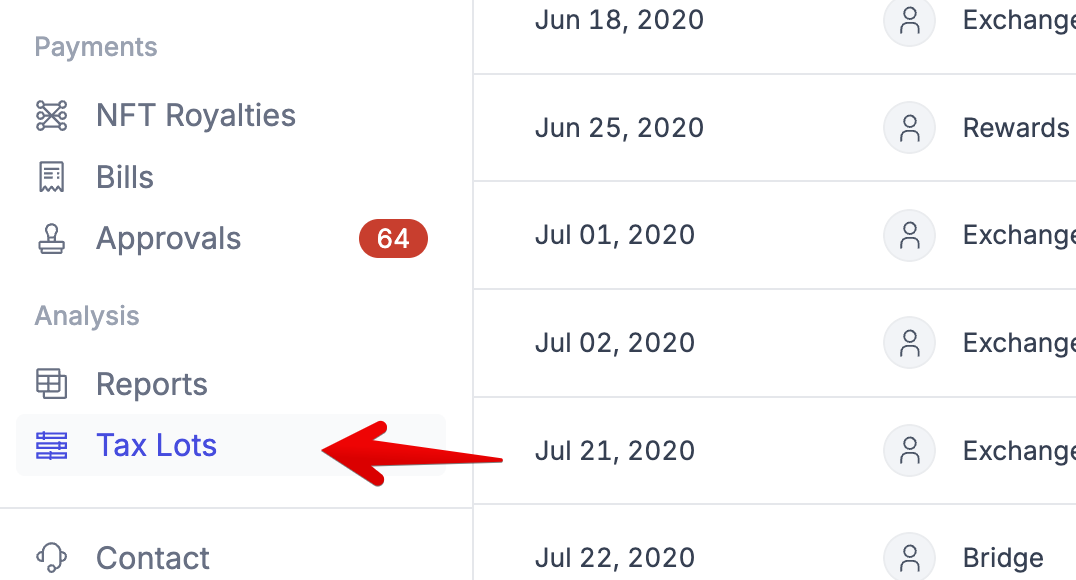
Select Tax Lots in the left-hand menu bar:
On this page, you'll be able to dive into your Used and Unused tax lots, and verify detailed information regarding each lot:

Getting Help
Refer to our Help Center or contact Integral support at help@integral.xyz for platform specific questions. If you have questions about best practices, Integral is unable to provide tax advice. Please consult a tax professional for assistance.