
Wallets and Accounts
Can I rename my wallets?
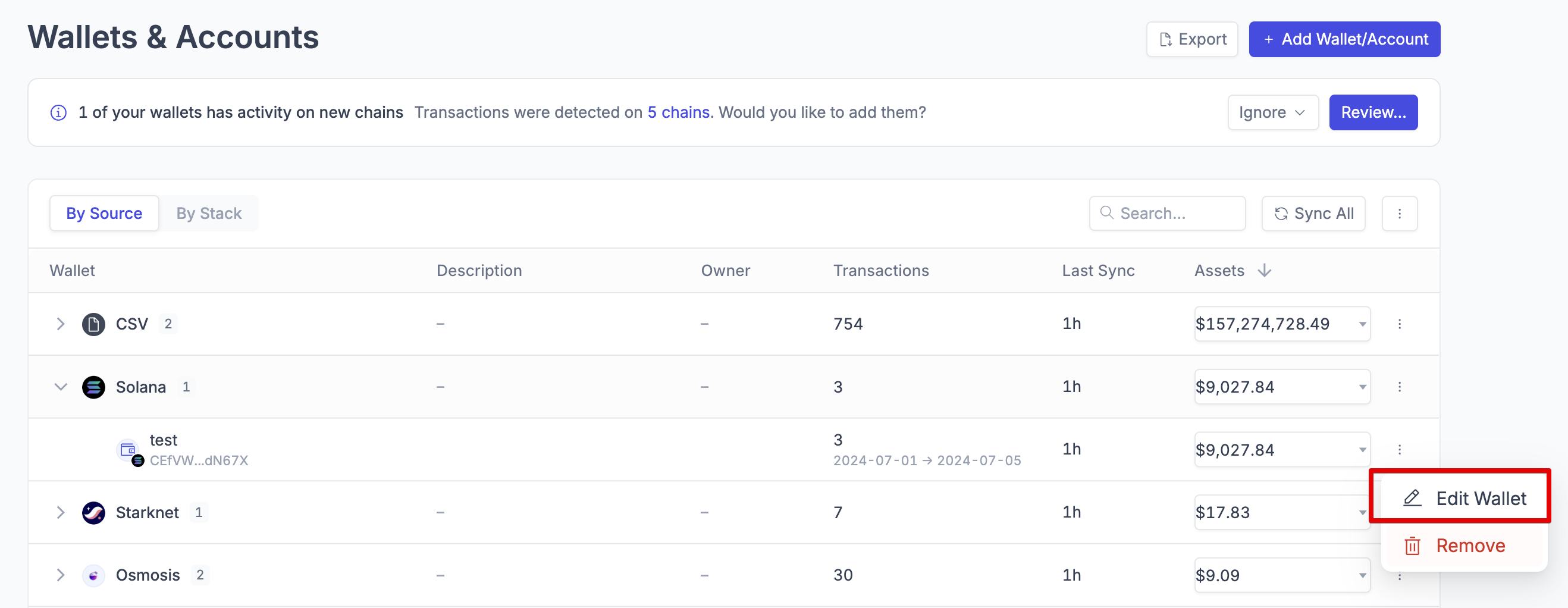
Yes! On the lefthand sidebar, under “Wallets”, you will have the option to edit the name of each wallet added by click on the : icon beside each wallet.
How do I know which API key I added to my account in Integral?
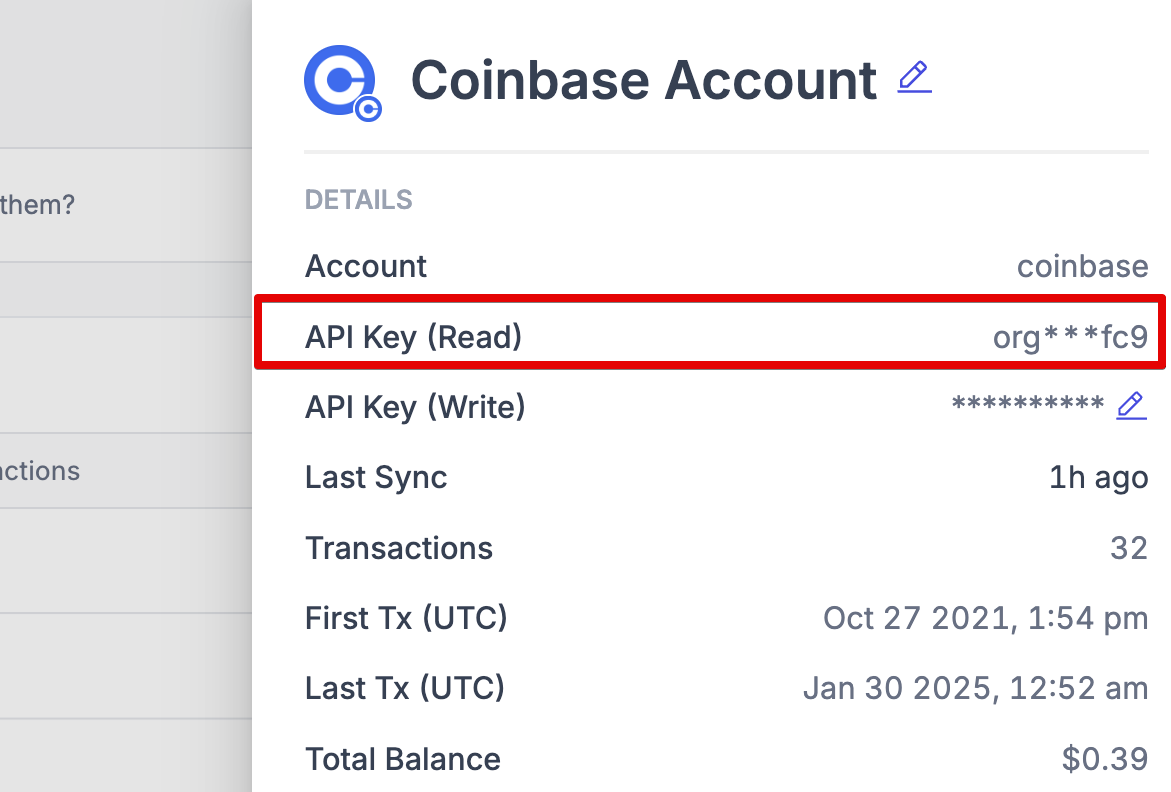
In the Wallets page, find your corresponding account. Beside the your account type, there will be a code in parentheses, for example Coinbase Pro (a1b3...e8d0). These are the first and last four digits of your API key. You can compare those numbers to what you see in your exchange or custodian's API settings page.
Can I update my API Key?
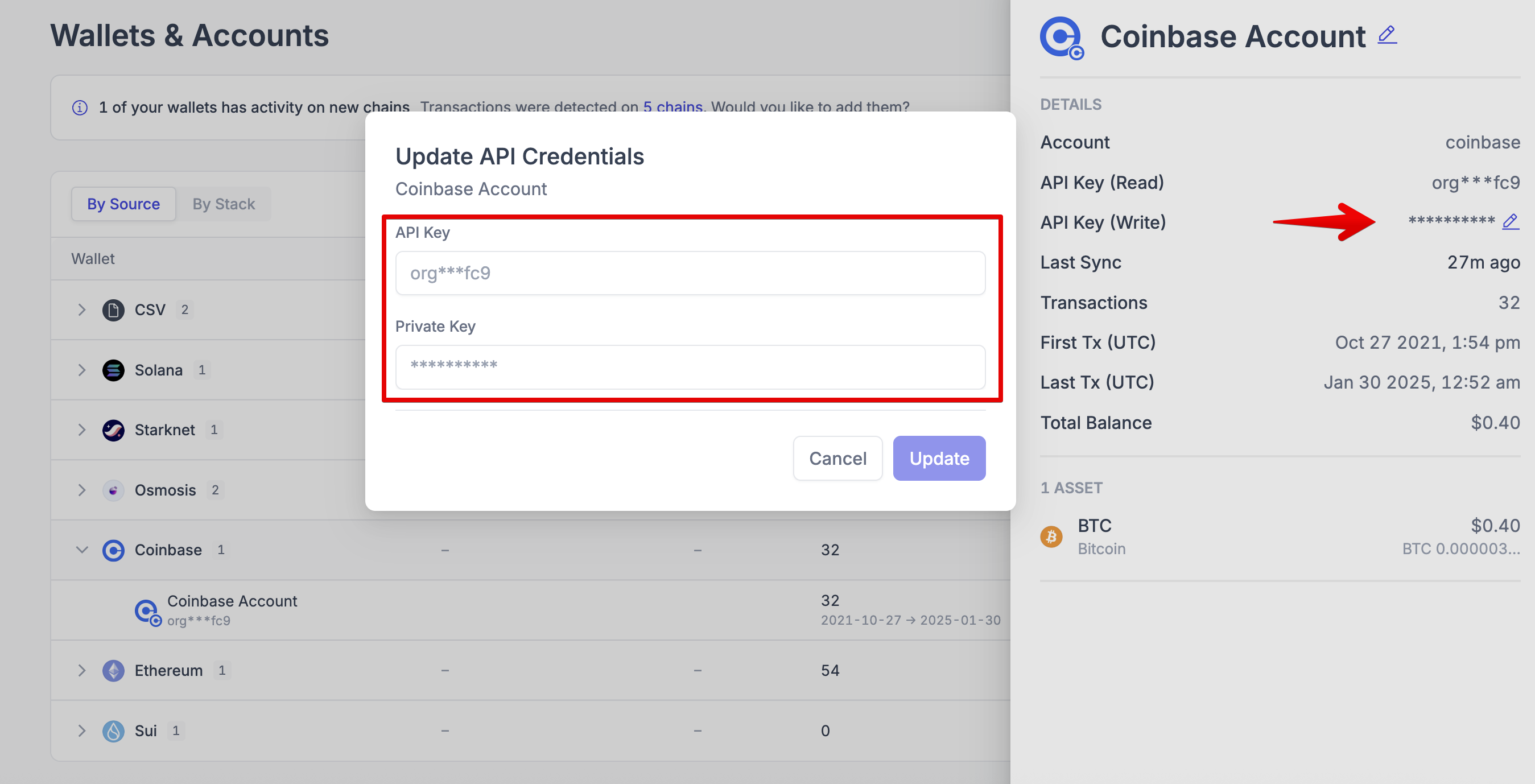
We currently only support this feature for Coinbase. Simply click on the ⋮ next to your Coinbase account, and then select the crayon icon. You can update your API Key and Private in the modal that pops up.
If you'd like to update your API key for another type of custodian or exchange, you will need to delete and re-add the account. Please reach out to Integral support if you need assistance at help@integral.xyz.
Does Integral ever hold custody, manage, or in any other way control our wallets?
No, Integral does not have write privileges to any crypto wallets, exchange accounts, or APIs. Integral only has read access to all accounts and does not have the ability to write or make changes. When using Bill Pay, Integral will only send a transaction request.