Customize Journal Entries
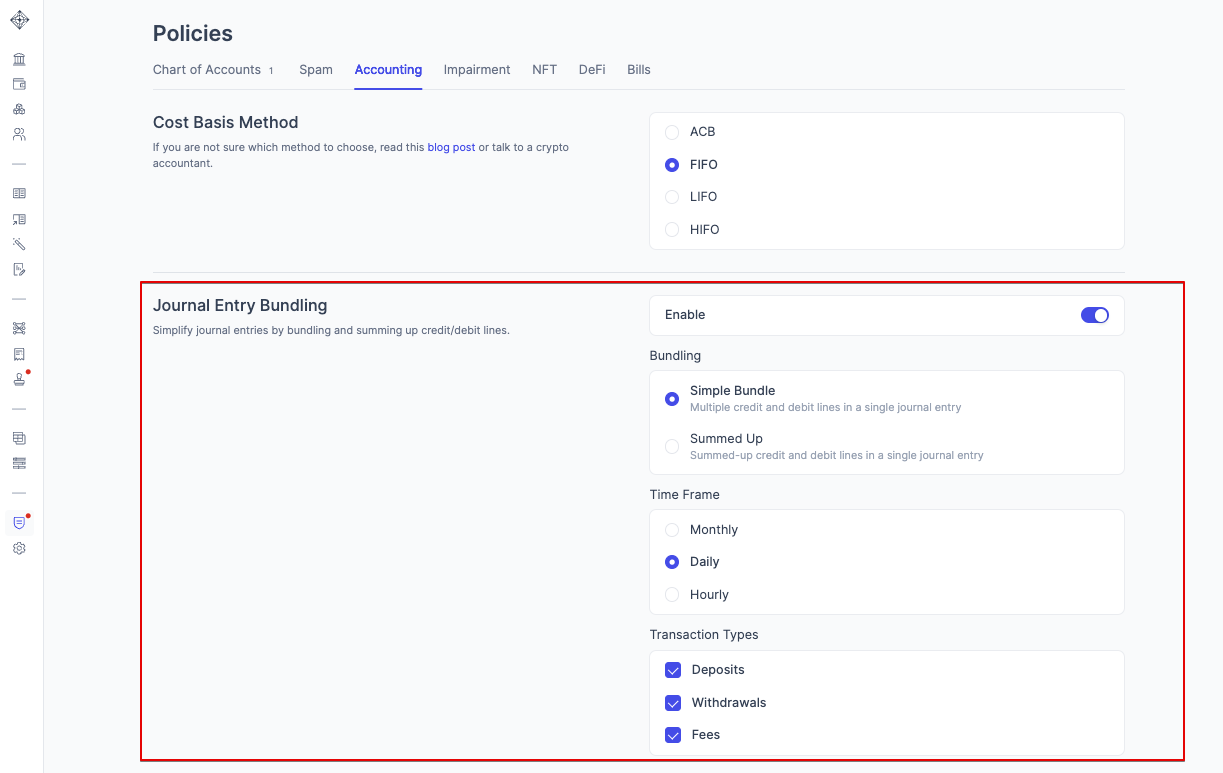
Customizing your journal entries is done in the Accounting Policies page. You can customize roll-up methods, and whether you want Integral to automatically post journal entries.
Configure your Journal Entry Bundling Options
Depending on the quantity of transactions, you may opt for different bundling methods: individual journal entries (default), bundled journal entries, or summed journal entries.
What’s the difference between each journal entry bundling option?
In Integral, there are 3 different Journal Entry options:
Individual Journal Entries (default)
Bundled Journal Entries
Summed up Journal Entries
Let’s assume you sync 3 deposits and 1 withdrawal that occurred on the same day to your ERP:
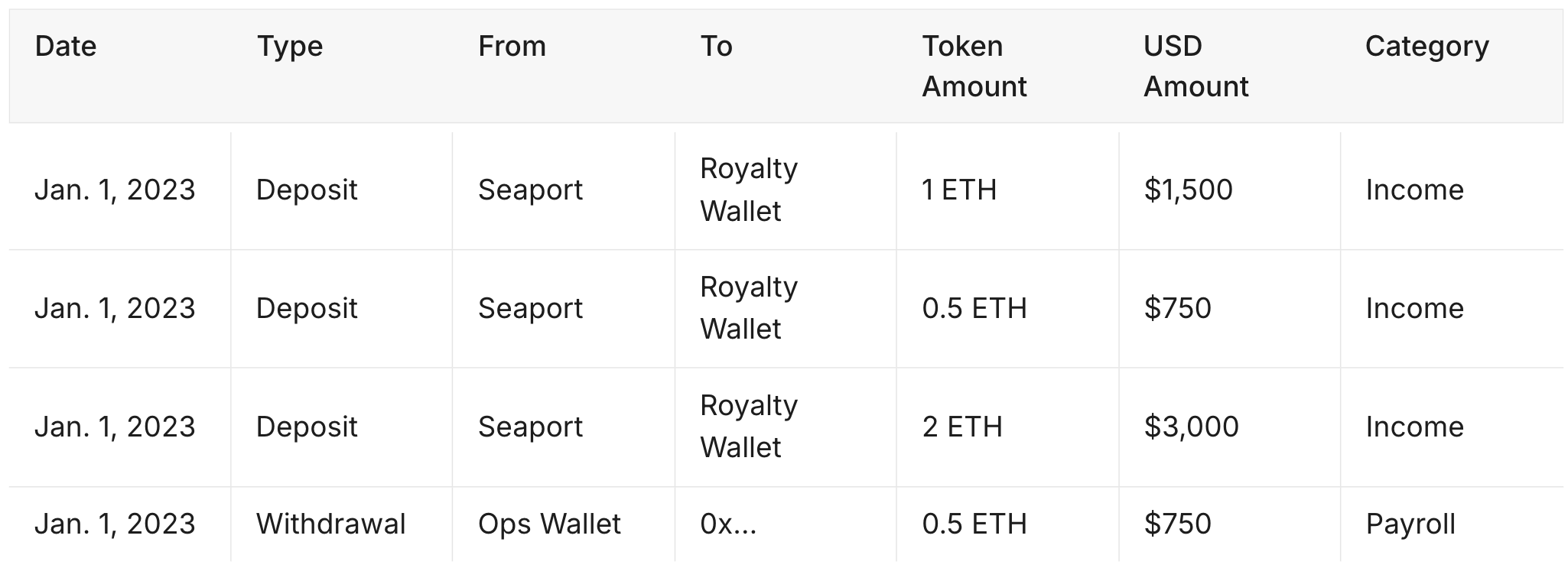
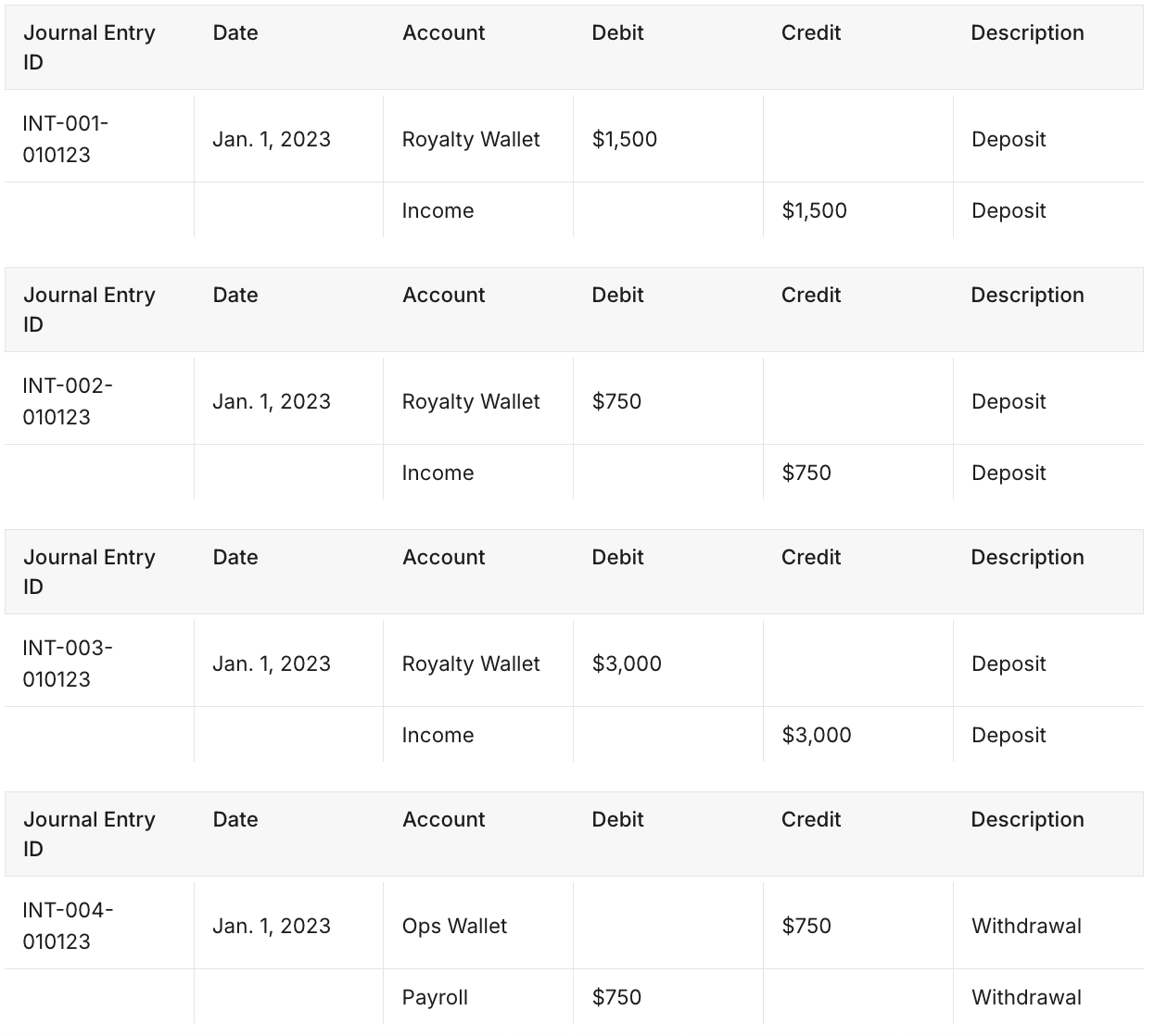
Individual Journal Entries
Four separate journal entries will be posted, one for each transaction.
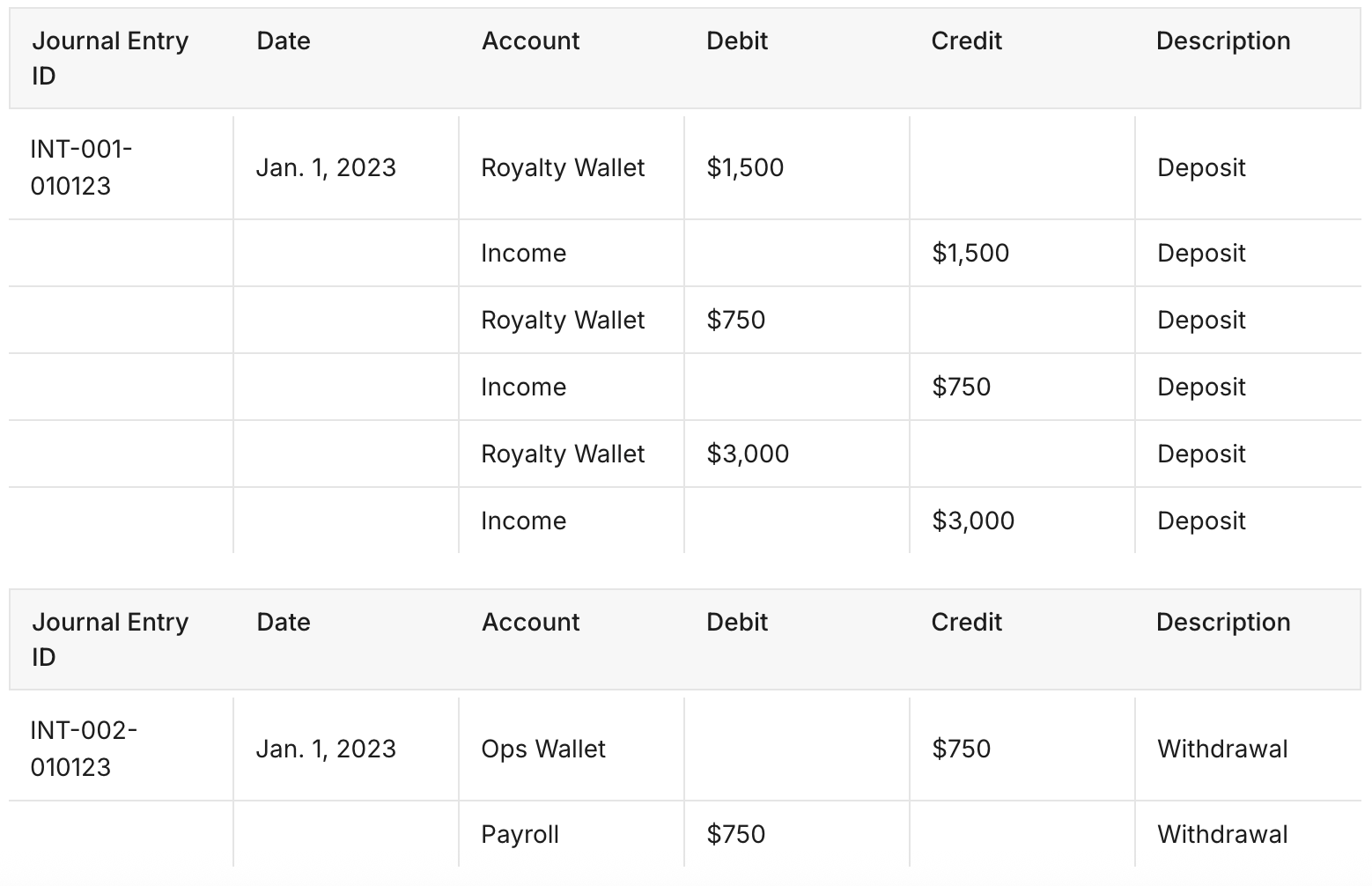
Bundled Journal Entries
Commonly used when transaction volume is between 500-1k transactions/month. The advantage of using this method is you get a complete audit trail directly in your ERP for each transaction with fewer journal entries.
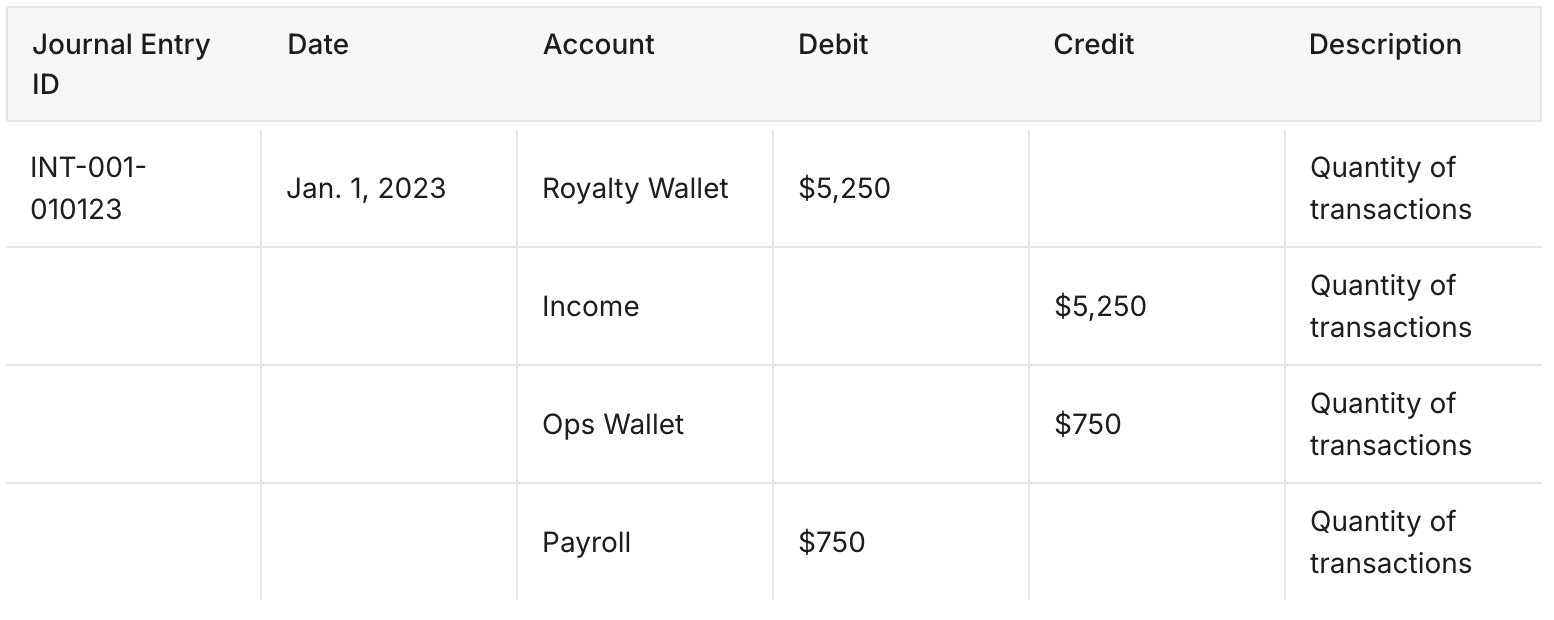
You will see 2 journal entries, one for each Debit <> Credit pair, with journal lines for each transaction in each.
Summed Journal Entries
Commonly used when: Transaction volume is larger than 20k+ transactions / month.
You will see 1 journal entry, with all Debit <> Credit pairs as individual lines.
How do I specify the bundling option I want?
In Accounting Policies, enable Journal Entry bundling to roll up your journal entries. Simply check the boxes for which transaction types you would like to bundle, and over what timeframes: